Tuesday, March 03, 2015
Make It A Perfect 10
While I was at it, I installed the Technical Preview of Windows 10, the latest OS upgrade from Redmond, scheduled to be officially released later this year.
The point of the Technical Preview is to give users the opportunity to kick the tires of the OS and take it for a test drive in order to provide feedback, either directly or via other data sent back to Microsoft via crash reports and the like, on areas for improvement in terms of performance and the UI, but it also represents a chance for Microsoft to test the waters and gauge users’ interest in new design paradigms, new services, and the overall direction of the windows line, and it gives me an opportunity to mix metaphors, apparently.
In any case, it was my intention to write up a post about my experience so far with the next generation Operating System.
However, despite the fact that I have the Preview installed on the SP2 and one of my spare desktop systems, between receiving my replacement SP3 and breaking in the new Cintiq, I really haven’t done much with it.
Even when the SP2 was serving as the temporary replacement for my SP3 I wasn’t really using it as my daily driver, as I found myself spending more time on my main desktop PC using the Cintiq, and now the SP2 is sitting upstairs in the library, and, like the spare desktop set up in one of the other bedrooms, it’s remained largely untouched.
The only real observations I can make about Windows 10 at this point is that the UI is somewhat inconsistent and in many ways represents a step backwards, and Google Chrome is agonizingly slow on it.
I am pleased to see Cortana on the desktop, and I’ve enjoyed using the “Hey Cortana” functionality, but at this point, while I think that Cortana will ultimately be something of a game-changer when it comes to everyday computing as the virtual assistant matures and becomes more sophisticated, and I still think that “she” is pretty cool, as with her Windows Phone counterpart I find that I honestly don’t have that much use for her at present.
Sure, the “chitchat” functions are entertaining, and I do use her to set the occasional reminder, but most of the time I’ve got my phone in vibrate mode, and sometimes I just plain forget that she’s there.
On the PC, her functionality remains somewhat limited in comparison to the phone iteration, so there was even less reason – or likelihood – for me to interact with her.
That said, I do have some thoughts on the Cortana and her potential that can serve as fodder for a future post.
But to bring things back to Windows 10 – as an aside, there’s a Technical Preview available for phones as well, but it’s only available for a small sub-set of phones, of which my phone isn’t part – apart from some of the interface changes, for the most part it’s…well, it’s Windows.
Sure, the icons are different – well, some of them are, at any rate, which is, er, consistent with the inconsistency issue I mentioned – and the Start Menu is now this weird mix of old and new, but the underlying experience is largely the same.
And that’s the problem.
Yes, ultimately, in a lot of ways, it’s good for Microsoft and consumers, in that it has the potential to be new and interesting while still familiar, which is kind of the perfect response to the consumers who want something new but still want everything to work the way it always has, and that compromise – along with making it free to the majority of users for the first year – will help to address a lot of the concerns that kept people away from Windows 8 and speed up adoption of the new OS.
While I tend to err more on the side of new and interesting than on the comfortable and familiar side – I was an early adopter of Windows Phone, after all, and remain a fan of the platform, and I like Windows 8/8.1 and tiles and the modern (metro) design language – I have no complaints about Microsoft making this compromise. Yes, I would like a lot more wow factor, even at the cost of having to learn a new way of doing things, but I get that there’s a need to satisfy the more conservative users.
So it’s not as shiny and new as I would like, but I’m okay with that.
My problem with the meet the new OS, same as the old OS approach isn’t about the visual appeal, it’s that in simply building on the old foundation any new version of Windows is going to have the same underlying issues as previous versions (and new ones besides, which will then carry over to future builds).
And so far with what I’ve seen of Windows 10, that’s as true now as it was in the days of Windows 98 or, God help us, Windows Me*.
So, after that lengthy preamble, here is my list of Windows gripes that, if they were to be addressed, would make me a fan of Windows 10 even if the end result were something that looked like Windows 3.1.
First up is what I call the “Yeah, I know you didn’t really mean that” effect.
Sometimes you make a change to a setting in Windows because the default behavior doesn’t work for you. The new behavior, after the adjustment, turns out to be exactly what you needed. Hooray!
Except Windows decides that you weren’t serious, and, at some random point, decides to change things back to the way they were.
As an example, take the Tablet PC settings**. When Microsoft launched its touch/stylus based variant of Windows XP back in the beginning of the current millennium, it brought with it settings for controlling various Windows behaviors as they relate to touch or pen input, which have since been incorporated into all flavors of Windows, given that we live in a very touch-centric world.
One of those settings is for determining handedness. By default, Windows assumes that a user is right-handed, which makes sense, given that only about 10 percent of people are left-handed. I’m part of the 90 percent, so one would assume that I’d leave the default setting alone. The problem is that I don’t like the way things work when it’s set for right-handed use. When set to right-handed, context menus appear to the left of your cursor. I prefer that menus appear to the right, so I always set my computer to left-handed.
Everything will be going along nicely, and then one day I’ll do a right-click to bring up a menu and the menu appears to the left, because Windows decided to change things back to the default. Why? Who knows? This has to be a pain for people who actually are left-handed and not just right-handed weirdoes who are set in their ways. (Wasn’t I just saying that I’m not one of those people, and that I like things to be shiny and new? Well…there are limits.)
Or folder options. I set a particular folder to display in “Details” view, with everything sorted by Date Modified. At some point in the future, I’ll open that folder and it’s displaying “Large Icons” sorted by Name, and worse, if I right-click (and find the menu appearing to the left) and try to change the sort method, Date Modified has been removed from the list of options and I have to go into the “More…” to add it back in. Why? Because fuck you, I guess.
The absolute worst offenders, however, are the Sticky/Filter Keys.
Sticky/Filter Keys are designed to assist people with disabilities, and are controlled via the Ease of Access Center. Filter Keys, when turned on, will ignore repeated keystrokes unless there’s a specified delay between them, so as to prevent inadvertent keystrokes by people with hand-related issues that might cause them to accidentally hit a key multiple times in a row.
Sticky Keys are designed for people who have difficulty holding down more than one key at a time, so if, for example, you needed to hit Ctrl+C, you could tap Ctrl, and it would remain pressed even when you remove your finger from it to give you the opportunity to tap C.
I’m sure that these features are a boon for their intended audience, and it’s great that these accessibility options are available.
But.
If Sticky Keys aren’t active, you can activate them by holding down the Shift key for 8 seconds.
When I’m working in Photoshop, I frequently have to make complex selections in different areas of the canvas. If I make a selection and then want to add to it, I have to first hold down the Shift key before starting to make the addition. Admittedly, I only have to hold Shift down until I start making the additional selection, but frequently I’m not paying attention – given that I’m focused on making the selection – and I’ll keep holding the Shift key down. After 8 seconds there’s a beep and Sticky Keys are turned on.
While my hands are pretty terrible, I don’t really have a need for Sticky Keys, so this is an annoyance.
In theory, this is an annoyance that should only happen once, because you can go into the Ease of Access Center and uncheck the box that set it to turn on Sticky Keys if Shift is pressed for the requisite amount of time, and also turn off Filter Keys, which turned on at the same time as Sticky Keys.
Easy enough.
However, the very next time I hold down Shift for too long, there will be the beep, Sticky Keys will be turned on, as will Filter Keys, and if I look in Ease of Access I will see that the box has been re-checked.
There doesn’t appear to be a way to permanently disable the alleged feature. Everything I’ve found online only addresses unchecking the box, but never mentions the fact that it will re-check itself the next time you hold Shift down too long, and Windows does this because seriously, go fuck yourself.
Next is “That Program You Just Closed Encountered An Error While Closing, So It’s Being Closed.”
There’s a lot of error collecting that goes on with Windows, which is a good thing, as, in theory, the collected data might be used to correct the error at some point in the future. However, some of that needs to be a lot more transparent to the user, with no pointless error message being displayed.
Sometimes an error requires user intervention, or, at a minimum, does require that the user be informed of the error.
But this should only happen when you’re actively using a program. When I click on the X or File>Exit and the program runs into some sort of error in the shutdown process, I don’t care. I was closing it anyway. You don’t need to tell me about the error when the only thing you’re going to do to resolve the error is close the program that I was already closing.
Related: “Who’s the Boss?”
This one is the error you get when you’re shutting down/restarting Windows and it pops up to tell you that a program – though it won’t tell you which one – is preventing Windows from shutting down, it then presents you with an option to force the program to close and let Windows shut down, or to cancel the shutdown process.
I…what? You’re the operating system, Windows. You shouldn’t let programs boss you around. And if you can force the shutdown after I tell you to do so, you should be able to do that without me telling you to do it.
And finally, “NAS? More like 'Nah,' amirite?”
Windows isn’t great with Network-Attached Storage (NAS).
Oh, sure, you can add a NAS easily enough, and access it just like you would local storage.
Unless you want to add a folder on your NAS to one of your Libraries.
When you try, Windows will inform you that it can’t be added because it’s not indexed.
Okay, fair enough, so…index it. Problem solved.
Nope. Windows won’t/can’t index the location.
The suggested “solution” to this problem is to make the location available offline. What does that mean? It means that it wants you to make a copy of the files on your local drive.
Which kind of defeats the purpose of storing the files somewhere else, and is impossible when your local drive only has a capacity of 256 GB and the files on your NAS clock in at over 1 TB.
What makes this especially maddening is that if you have Windows Media Center, you can actually add a NAS folder to your Libraries through the Libraries settings in WMC, and it will be available as a Library location in Windows itself. You still won’t have indexing, which makes accessing that location slow if there are a lot of files contained therein, and when you open your Libraries you’ll get a message telling you that not all features are available because it’s an unsupported location, but it can be done.
This is especially troubling, as WMC is a paid add-in, and it seems that it’s going away entirely in Windows 10 – the current preview build disables it if you have it installed.
The point is, I don’t see any reason why a NAS can’t be indexed (My NAS builds its own index; why can’t Windows at least access that?), and the WMC “backdoor” proves that non-indexed locations can be added anyway. So, seriously, what’s up with that?
In any case, these are the kinds of things I want to see addressed in Windows 10 more than I want to see fancy new gewgaws and terrible throwback icons.
Fix these kinds of problems, and you'll have made the best version of Windows ever.
And I didn’t even get to this:
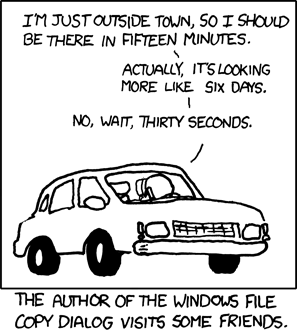
(Seriously, for the love of all that’s holy, and unholy, while you’re at it, fix this.)
*People complain about Vista. It's got nothing on Me.
**Please. (It's impossible to resist)
Thursday, November 06, 2014
Band On The Run (Sorry)
After getting the firmware update that would allow the app to work on my phone, I picked up a Fitbit flex.
I knew going into my purchase that better, shinier gadgets would likely be released in the near-future, but I figured it was worth getting started anyway, and I went with Fitbit specifically because it does support my phone, which is a rare thing.
Overall, I was pleased with it. It worked as advertised, and I have to say that there is a definite advantage to “gamifying” fitness and providing incentives. It doesn’t matter that said incentives – badges, in this case – are ultimately meaningless; even when they know there’s no real value in a prize, human nature drives people to pursue said prize. (See also reddit users and “karma.”)
Having a set daily goal – 10,000 steps – to achieve, with the potential to receive badges for hitting other goals served its purpose, and after hitting the daily goal for the first time, I thereafter always achieved that goal, and usually went well beyond 10,000 steps.
Like I said, even though they didn’t have any value, the badges served as an incentive. When I found myself just a little over 1,000 steps away from achieving the 25,000 step badge at 11 PM, I spent the next 20 minutes walking around my house like a crazy person to get my step count up, ultimately leading me to get well over 25,000 steps for the day.
I also found myself watching my diet even more carefully after I began logging my food and setting a daily goal for calories in vs. calories out. So overall, I was satisfied with the Fitbit.
My only real complaint was the lack of features on the band itself. Sure, it would vibrate when I hit my goal, and the vibrating “gentle” alarm feature makes for a slightly less jarring way to wake up in the morning than a standard alarm (or even music). But the display consists only of five little lights, each one representing a portion of your daily goal, allowing you to have a general idea of where you stand, and in order to get more specifics you needed to sync it and check your stats in the app (or online).
At a minimum, I would have liked for it to be able to display the time, as I disliked having to wear both the Fitbit and my watch (and I like to have a watch rather than having to check my phone to see the time). Beyond that, I wanted something with some smartwatch capabilities that would allow me to view my calendar or receive notifications (again, without having to check my phone).
Further, while you can manually enter the information in via the app, the Fitbit isn’t great at detecting activities other than walking/running, and even there it kind of fails when it comes to using an elliptical machine.
I was a little annoyed – even though I expected it – when Fitbit announced an upcoming product that would address some of those issues, adding in things like heart rate monitoring, GPS tracking, and some smartwatch capabilities, to be released early next year.
However, I was even more annoyed when, while not quite out of the blue, Microsoft unexpectedly announced its own wearable device, the Microsoft Band.
I won’t dive into all of the specs, but suffice to say that the Band has a lot going for it.
Despite having just sunk money into the Fitbit – and despite the fact that it’s a 1.0 product from Microsoft – after looking over the details on the day of its release I ordered one.
After all, it checked off all of the items on my wish list:
GPS Tracking
Heart Rate Monitoring
More In-Depth Activity Tracking
Built-In Display of Progress Towards Goals
A Clock
Access To Calendar, E-Mail, and Other Notifications
Compatible With My Phone
While there are plenty of reviewers who are damning it with faint praise (it is a Microsoft product, after all, and there are plenty of people in the tech world who are not inclined to give MS much credit even when it’s due), and focusing on it being “ugly” and bulky, I quite like the look of it. As for being bulky, well, your mileage may vary, but it’s lighter than my watch was, and not having to wear both a watch and an activity tracker has lightened the load on my wrist.
There are those who are also complaining that it’s not quite so feature-rich as other smartwatches, but it fits the bill for me, particularly given its integration with Cortana.
Again, your mileage may vary, but I’m not inclined to engage in terribly complex activities via a small device on my wrist, so the “limited” functionality hits the right balance in terms of convenience.
In terms of the overall strategy, Microsoft isn’t terribly concerned about selling a lot of Bands – though they did sell out of the existing stock very quickly, apparently – but rather on licensing out the technology and partnering with other manufacturers of activity trackers. Indeed, they made the Band compatible with iOS and Android as well. More to the point, they’re looking to corner the market on health data, and getting everyone to standardize on their cloud-based health data platform. The Band itself is, in many ways, kind of irrelevant, and serves mostly as a proof-of-concept and showcase for their sensor technology.
To get back to the matter at, er, hand, however, I’ll focus on my own experience using the Band.
So far I have no complaints about the Band itself and have been quite pleased with it. Some accounts complain about inaccuracies – particularly around heart rate monitoring – but I’m not a professional reviewer and so I haven’t done any of the comparison work that other reviewers have. For my part, I’ve found the step count to be pretty accurate, and the data it provides seems to align with what I know about my heart rate and the ranges in which it tends to beat.
That said, I actually bought the Band at a lousy time.
I had been suffering from some serious lower back pain that had drastically impacted my mobility and motivation – not just my motivation to exercise, but even to just go on living – and a trip to the doctor led to me being put on a course of steroids. Said steroids dramatically weakened my already useless immune system, so almost as soon as I went in to work and exposed myself to the hundreds of walking disease bags there I came down with a nasty cold that left me laid up for the past two days.
So there hasn’t been a whole lot of activity to track, but hopefully that will change soon.
| Despite recovering from being stick, I still exceed my goal...because I'm just that awesome. |
I have very few complaints about the Band itself. I find it comfortable enough that I’ve pretty much stopped noticing that it’s there, and even though having it turned so that the display is on the inside of my wrist, I’m getting used to it – it’s definitely a more natural position for interacting with it – and rarely find that it interferes with things like typing.
That said, it would benefit from following the contours of the wrist at least a little and having a slight curve rather than being flat.
And while I don’t feel a need to engage in terribly complex interactions with it – I don’t necessarily want to be wearing a phone on my wrist, after all, at least not with the current options available – I do wish that acknowledging/dismissing a notification on the Band would serve to also acknowledge/dismiss it on the phone. I’d even like to be able to delete an e-mail or text on the Band. Of course, I’d also like to be able to do that directly from the Action Center on my phone itself, so…
The majority of my complaints are with the accompanying Health app that accompanies the Band.
First off, the Windows Phone app looks pretty much the same as the iOS and Android versions. Sometimes standardization is good, but this isn’t one of those times, as the interface is not built according to the design language of Windows Phone/Windows 8.1 apps. This is especially troubling, given that the Band’s interface is very much a “modern” (formerly known as “metro”) UI. There has been a marked trend on Microsoft’s part of late to ignore its own design language, most notably with its recently-updated OneDrive app, and I find it troubling, as the modern design – particularly on Windows Phone – is a key differentiator, and it’s one of the elements of the platform that I find especially compelling.
Further, the tile for the app only has the small and medium options for size – and it isn’t live.
It also isn’t universal – there is no version of the app available for PCs/tablets.
I assume that one will be forthcoming, as there is a driver that gets installed if you connect the Band (via its USB charger) to a PC.
Which leads to the other complaint I have about the app: it’s very basic. While it does present you with options for viewing detailed reports and for personalizing the Band – changing the accent color, adding/removing tiles, etc. – there are no options for tracking how many calories you consume. Ideally, as Microsoft continues to partner with Fitbit, they’ll add that feature, and have hooks into Fitbit’s comprehensive food database. Fitbit aside, though, Microsoft already has a Health and Fitness app that allows you to track your calories, so at a minimum Health should integrate with Health and Fitness.
I’m also not particularly thrilled with the alarms. Like the Fitbit Flex, you can use the Band’s silent alarm – if you’re wearing it while you sleep to track your sleeping patterns – to wake you up in the morning, and that works fine. As I mentioned, I prefer being woken by the slight buzzing on my wrist. However, the alarm has to be set on the Band itself, and you have to turn it on manually at night, every night. With Fitbit, you set alarms and their recurrence pattern in the companion app. Health should add that same capability.
Speaking of sleep monitoring, one other issue I have with the Band is that it doesn’t pay any attention to your phone’s “Quiet Hours” setting. In Windows Phone 8.1, you can designate Quiet Hours during which your phone won’t buzz/ring (you can also set up exceptions). The Band doesn’t care about that. If its set to vibrate upon receiving an e-mail, it will do so, no matter what time it is.
This isn’t really an issue if you’re actually using the sleep monitoring, as telling the Band that you’re sleeping disables notifications for the duration, but it is an example of integration with Windows Phone that needs to be more fully-baked.
So the ultimate question is, would I recommend the Band? If you have a wish list for a smart wearable/fitness tracker that I have, absolutely. If you’re looking for something more basic, without any of the smartwatch capabilities, I’d say go with the Fitbit. If you need more advanced smartwatch capabilities, well, I can’t help you there, but you have a wealth of choices.
Ultimately, though, I’d recommend taking a wait-and-see attitude, as the odds are you’ll have even more options in the near-future if Microsoft can succeed in getting other activity tracker and smartwatch manufacturers on board with its emerging platform and sensor technologies.
Sunday, June 15, 2014
Scratching The Surface
The immediate speculation was that they were going to announce an 8” Surface Min, and a lot of user-generated renders of what such a device might look like began to, er, surface.
Though I don’t have any particular need for such a device, I was somewhat interested, and decided that, if it hit the right price point, I might consider picking one up as a companion device.
Coincidentally, the day of the event fell on a day that I had taken off from work, so, while I sat drawing (or more to the point, failing to draw) on Odin, my desktop PC, I fired up the webcast of the event on my Surface.
The rumored Surface Mini was nowhere to be seen, however, and it turned out that MS was actually announcing the launch of the Surface Pro 3.
Despite the rumors, I had considered this possibility beforehand and had already worked through my annoyance at the launch of a new and improved Surface Pro so soon after my purchase of the 2, but even so, the announcement did cause me to sigh and shake my head.
While many of the specs represent only incremental improvements, there were some significant changes that I found appealing, such as a higher resolution and a different aspect ratio, which makes the device like a traditional piece of paper in terms of overall size and shape, and an overall decrease in thickness and weight.
They also demonstrated some cool new features of the pen, particularly with regards to One Note.
As an aside, I use One Note a lot, but I feel like there’s more I should be doing with it given its capabilities, but I just can’t seem to find the appropriate use case.
Of particular interest to me was that they managed to all but eliminate the parallax when using the pen. That is to say that there is virtually no offset between the physical tip of the pen and where it appears on the screen.
However, there was one thing in the announcement that struck me as odd: a reference to the pen having 256 levels of pressure sensitivity.
Why did this strike me as odd? Well, my older-model Cintiq has 1,025 levels. Current-model Cintiqs – including Wacom’s own Cintiq-branded Tablet PC – have 2.048.
My Surface Pro has 1,024 levels, just like the Surface Pro 1.
So why the downgrade?
In reading some of the more in-depth coverage, particularly around the new pen, I found the answer, and even more than the reduction in pressure sensitivity, it gave me pause.
Unlike the previous generations, the SP3 does not come with a Wacom active digitizer, opting instead for a product from N-Trig.
…
Some of you may recall my experiences with an N-Trig device.
Suffice to say that they were not positive experiences.
Many people online expressed concern about the drop down to 256 levels. While I did find that troubling, I know from experience that 256 levels still works pretty well – on a Wacom device.
Gabe from Penny Arcade did a post addressing the 256 levels issue (TL; DR is it’s not really an issue).
However, I still have little or no confidence in N-Trig.
A lot of Microsoft-related sites – run mostly by non-artists, for what it’s worth – bundled the concerns about the pressure sensitivity reduction and the shift away from Wacom together and simply dismissed the misgivings expressed by the commentariat as the ravings of neckbeards who are resistant to change.
That’s not it. At all. Again, I’m not terribly concerned about the 256 levels thing, though I will say that perception counts, and regardless of how well it works, this looks like a step backwards, and while more knowledgeable users might recognize that it’s not a dealbreaker, the average consumer – regardless of whether or not he or she even understands what it means – might see that change in specs and immediately assume that it’s bad.
But the real issue, for me, is that name: N-Trig. And this isn’t because I’m a Wacom fanboy; I would very much like to see Wacom forced to square off against some real competition, as they pretty much own that space (and their prices reflect that fact).
I have no doubt that N-Trig has improved since I last used one of their devices. That would pretty much have to be the case, otherwise I don’t see how they could still be in business. I also have no doubt that MS has made absolutely certain that their new flagship device works properly. Well, I have some doubt, given that hey released the first generation of the Surface Pro without a driver that supported pressure sensitivity in Photoshop, so it’s not like it’s unheard of for them to drop the ball on something like this.
(Speaking of Photoshop, the one piece of good news for me during that event came when a representative from Adobe came out to show off an upcoming update to Photoshop that is more touch-centric. That is, of course, great for the SP3, but the update will also find its way to everyone with a Creative Cloud subscription, so at some point I’ll benefit from that as well.)
In any case, despite my misgivings about N-Trig, I do understand the reasons for selecting them as a vendor, particularly given that their digitizers are slightly thinner and lighter than Wacom’s, and I do hope that N-Trig can prove to be the competitive force that’s so desperately needed in that market.
But I’m still rather wary.
That said, it’s still not a dealbreaker for me; the fact that I just bought the Surface Pro 2 is what’s keeping me from shelling out the cash to pick up the SP3.
If I were in a position to shell out the money for a Surface Pro 3, I would most likely do so happily, despite my misgivings, as it does provide a lot of compelling advantages over its older sibling. Still, while considerable progress has been made, MS hasn’t quite nailed the formula yet and it’s not quite perfect. The typing experience, by most accounts, still needs some improvements, particularly if you are one of those people who takes – or has to take – the term “laptop” literally (I personally tend not to be one, as an extended period of typing with a keyboard, any keyboard, placed in my lap is unworkable), and even setting aside the physical issues of typing via the Touch or Type Cover, there’s the issue of the cost; Type Covers need to be included in the base purchase price. Period. No debate.
I understand the position MS has taken; people like being able to choose different colors for their Type Covers, so they don’t want to bundle them with the Surface.
I also think that position is bullshit. They’re no reason that they can’t bundle them together and still have different color choices.
But even if they can’t, they still need to drop that cost down to $0. You have money to spare, Microsoft…eat the cost.
Because what you don’t have is mindshare, and as long as the keyboard is a pricey add-on, you’re not going to get it.
Yes, I know; iPads and Android tablets don’t include keyboards, but, per your own marketing, that’s not the segment of the market you’re trying to compete with. The Macbook Air got mentioned a lot in the Surface event. And guess what? The keyboard for that isn’t optional.
Again, eat the cost. There are plenty of avenues for making up the cost via accessories, such as replacement pens, docking stations, power covers, and so on. Whatever happened to that whole Blades concept?
You also need to figure out a better method for storing the pen. The loop included for it on the – optional – keyboard cover isn’t a solution, nor is the simple magnetism that holds it in place in various locations on the Surface itself.
Start addressing these concerns – and develop a good marketing strategy – and you’ll definitely have a winner on your hands, one that has the potential to redefine computing for years to come.
And you’ll also have a basis for expanding the Surface family of products. What about a Surface All-In-One? How about a Surface-branded Windows Phone?
In fact, if you were to say to me that you would be releasing a 5” Surface Phone with a high-resolution screen, active digitizer with pen (with integrated storage), and VaporMg casing, I would say to you, “Yes, please.”
With all of that said, while I won’t be picking up a Surface Pro 3, I hope it does well enough for me to have the option of picking up a Surface Pro 4 when the time comes.
And, you know, if some wealthy reader were feeling generous, or if Microsoft said, “Here, Jon, have a Surface Pro 3 on us,” I certainly wouldn’t object…
Sunday, February 05, 2012
Another Reason…
Despite the fact that I’ll be doing my Super Bowl shopping tonight, I decided to venture out into the world earlier today to swing by Staples to look for a small desk for my living room.
I’d like to have one if for no other reason than to fill up some of the wasted space, but also to use for when I work from home, as I usually set up the laptop downstairs rather than upstairs in the office, for a variety of reasons.
In any case, I thought that, while I was in the area I’d stop and get a haircut so that I’d have one less thing to do tomorrow.
On the way, I ended up behind this slow-ass driver, who, like Visa, was everywhere I wanted to be.
As I neared the barber shop, he turned into a different lane in the parking lot from the one I was headed for, so I thought that I was rid of him. Instead, he cut across the parking lot and cut me off as he drove across the lane I was turning into. As I was parking, he and his son (I guess) got out of the car and made a beeline for the barber shop.
*Sigh*
Fortunately, even though they were busy, and those two had, despite moving more slowly than I was moving, gotten ahead of me in line, they were fully-staffed and I only had to wait a few minutes.
Still, that sort of thing is exactly why I enjoy my Super Bowl shopping time so much.
I wasn’t able to find a desk that I wanted, but I did pick up a Bluetooth keyboard for the slate, which I’m using to type this post. It was already reasonably affordable, but I was pleasantly surprised to learn that it was even cheaper than I thought once it was rung up.
That is, once I was eventually able to get it rung up, as there had been people in front of me who had unnecessarily slowed down the process of checking out by asking a bunch of stupid questions about whether or not they were really saving $1.45 on their order (they were).
I left there and decided to check out the desks at Office Depot, but I had no luck there, either.
So I came home and set up the keyboard on the slate, then decided to put my $200 Microsoft Store coupon to use by purchasing a copy of Office 2010. I had been considering getting Office Professional, but it would have cost me an additional $200 just to add Access and Publisher, neither of which were programs I actually needed. So I opted for Office Home & Business, which, after applying my coupon, only cost me $80 for two licenses.
For some reason, they ended up throwing in Publisher for free anyway, so, even though, as stated, I didn’t need it…score?
If anything, the Office programs I would even kind of need beyond what are included in Home & Office are Project and Visio, neither of which are included in any version of the Office suite of programs and have to be purchased separately.
I mainly wanted Office just to have OneNote for the slate, as it’s a very cool program and it’s ideal for use on slates. In its inaugural use I put together a shopping list for tonight, saved the list to my SkyDrive, opened the note on my phone, and pinned it to my Start screen.
I’m all tech-savvy and shit, and am kind of like a living commercial for Microsoft products at this point.
In any case, I mostly just typed this up for the purposes of trying out the keyboard – which, incidentally, is also a Microsoft product* – so I guess I’ll wrap things up for now.
*I’m not really an MS fanboy, but settling on one platform does make things a lot simpler for me. I’m also not trying to get in Redmond’s good graces by constantly talking up their products here. Not because I’m morally opposed to getting free stuff from them in exchange for saying positive things about them, but because I know that what I laughingly refer to as my “readership” is far too small to make it worth their while…
Saturday, November 27, 2010
Letters To Redomnd
Dear Microsoft,
If you ever wonder why so many people hate you - even people who might otherwise be fans of monopolies - go to a Web page in Windows 7/Vista that isn't compatible with the "Aero" color scheme. You see that thing that happens where it changes your computer's entire color settings, rather than just, oh, I don't know, not rendering that single page properly?
It's shit like that.
Hugs & kisses,
Jon
*****
Dear Microsoft,
It's me again. Speaking of problems with Web pages, while I understand that you're all about online advertising these days (for reasons that escape me), ads really aren't that important to the rest of us. Sure, sometimes they can be entertaining, as with your Windows Phone 7 commercials, but, at best, we tend to view them as a necessary evil, though frequently they're much more evil than necessary.
Anyway, I just wanted to let you know that it makes me want to encourage the spread of Malaria* when a Web page takes forever to load because IE is doing everything in its power to ensure that my eyeballs are assaulted by every last ad on the page, even though IE can't - for whatever reason - figure out how to deliver a particular ad to me.
I get it; you love ads. You're gay for advertising, and that's fine, but seriously, if IE can't load the ad, it should just give up and quit trying, or at least it should let me see the damn page and keep working away to make that flaccid ad rock-hard and erect under the table. I don't need to see IE working that pole for all it's worth, okay? I just want to see the actual content of the page (Note: Ads are supposed to be secondary to the content. Whoa, whoa! Settle down; that idea is not blasphemous.).
What really pisses me off - and again, shit like this = everyone hates Microsoft - is when most of the page's content loads, but I'm not able to move around on the page, because there's that last little ad that IE is trying to coax a boner out of, that just can't get it up, and then, even though the entire page - minus the ad with the erectile dysfunction - has already loaded, IE finally quits, blanks the page, and pops up an error message saying it can't load the page.
We both know that's a lie, Microsoft; the page was right there in front of me just a second ago.
Anyway, just something to keep in mind. Sorry about all of the gratuitous mentions of tumescence (or the lack thereof), but some sort of dick jokes seemed called for.
Regards,
Jon
****
Dear Microsoft,
Seriously, have you ever even tried using Word?
Angrily,
Jon
****
Dear
The beta version of Internet Explorer 9 is a really decent browser. Honestly. No gag here; I actually like it better than Firefox.
Or rather, I like it on the computers on which I can actually get the thing to install.
Oh, and that "helpful" troubleshooting page? The one that tells me to install some updates that are already installed, and to try disabling my antivirus/antispyware software - despite the fact that my antivirus/antispyware software is a Microsoft product - and assumes those things will work, and doesn't even have the decency to shrug its shoulders when it doesn't work? That page...well, that page isn't very good at all.
(Sorry, I couldn't come up with a zinger.)
In searching some forums, I've seen Microsoft reps suggesting an in-place upgrade of Windows itself as the solution to installation problems.
So basically you want me to completely reinstall my Operating System just to be able to install a beta version of Web browser.
Cf. my earlier comments in re: like that, shit.
Still, I have managed to install it on two out of my four computers, and I suppose that two out of four isn't bad. You know, provided you don't consider failing to be "bad."
Yours,
Jon
*For those of you who don't get the reference, Microsoft co-founder Bill Gates has, in cooperation with the charitable foundation bearing the name of himself and his wife, been engaging in a campaign to eradicate the spread of Malaria in the developing world. No joke; it's a laudable goal. But that shit with ads that IE can't render preventing an entire page from loading really pisses me off.
Friday, July 23, 2010
A Conversation
Me: with so much available to find fault with when it comes to MS, it annoys me when people - especially in the tech media - have to spin everything MS does to try to make it look evil.
Scott: M$ lover
Me: hitler
Me: boom!
Scott: dammit, beat me to it.
Me: went all godwin on your ass!
Scott: I was going to say, Hitler loved Microsoft...
Me: coulda shoulda woulda
Scott: yup
Me: aaaaannnnnd....boner
Scott: Though...you know who did love M$? Stalin.
Scott: And Pol Pot
Scott: And Kim Jong Il
Scott: Yeah...
Scott: Oh, and Saddam
Scott: And Osama
Me: but not Satan
Me: even he's afraid of MS
Scott: That's because Bill Gates usurped his throne.
Me: dammit!
Me: something more evil than MS and all the people you mentioned combined just popped into my head:
Me: hollaback girl
Scott: Hm, that is pretty bad.
Scott: But Tik Tok is worse.
Me: true
Scott: Wake up in the morning feeling like P Diddy...
Me: but hollaback girl is maintaining dominance simply because i heard it more often
Me: wonder if anyone's done a mashup? i think that's the sort of thing that would awaken the great old ones.
Scott: heh, yeah
Me: then we'd all be envying the dead...though we do that anyway when we hear tik tok or hollaback girl.