Friday, May 29, 2015
This Is The Beginning
I started this blog all the way back in 2004 without any clear focus or sense of purpose, and with the hope that 1. I would eventually settle on some sort of vision for what I wanted it to be about and 2. In the process, it would develop some kind of audience.
Neither one of those things ever happened, and in the years in which I've been infrequently posting I've kind of been all over the map, posting rants, recipes, drawings, excerpts of some of my other writings, movie reviews, and just any random whatever that happened to pop into my head.
After nearly eleven years of random mental meandering, it's time to close up shop.
It's not going to be any great loss - see my point about failing to achieve hope number 2 - and, honestly, over the past couple of years my infrequent posting schedule has become so infrequent as to be practically nonexistent.
With that said, however, this isn't quite the end of Threshold.
As some (most?) of you already know, I've begun a new venture in the world of online comics, creating OpenDoor Comics in an attempt to build an open and inclusive platform for publishing comics of all kinds from creators of all backgrounds.
It's an exciting - and scary - new adventure for me, and between that and my continuing role as a Corporate Drone and Establishment Stooge, there's even less time and energy available for focusing on The Little Blog That Couldn't.
So the time has come to shut it down, shut it all down.
Well...not quite all.
Threshold will live on, in a new, slightly more focused form, as The Threshold, the Official Blog of OpenDoor Comics.
It won't be the same kind of unfocused ramblings that virtually no one has come to know or love, but if there's such a thing as Blog DNA (Note: There isn't), that genetic code will continue on in this new entity.
With The Threshold, the goal is to keep people up-to-date on the latest happenings with OpenDoor Comics as the idea continues to move towards my ultimate vision for it, and while it will have a certain randomness to it - the result of its genetic inheritance - the focus, ultimately, will always tie back to the central vision that led me to create OpenDoor Comics.
Ideally, I'm looking for The Threshold to be comparable to the old "Stan's Soabbox" columns that used to run in Marvel comics that were ostensibly - as with anything attributed to Stan - written by Stan "The Man" Lee, and the "Meanwhile..." columns that DC used to run under Dick Giordano's tenure.
Right now, the new site doesn't really have a lot going for it, but, like someone once said about a famous ship, she's may not look like much, but she's got it where it counts.
So...that's it.
I hope that any of you reading this will stop by the new place from time to time, and that you're able to find content - beyond what shows up in Threshold's digital descendant - that you will enjoy.
It's too late to avoid busting out that hoary old cliche about how every ending is a new beginning, but, while I want to avoid getting too maudlin, I do want to say that I'm at least a little sorry to see the end of this chapter. Threshold never really delivered on my hopes, but there was a definite value for me to have this avenue of expression over the years.
While this will be my last post here, I'm not completely pulling the plug - what exists now will continue to exist for the time being, but don't be surprised if one day you find that not even a memory remains.
Please be sure to swing by OpenDoor Comics regularly, and, if you're of a mind to, follow @OpenDoor_Comics on Twitter and like OpenDoor Comics on Facebook, and just generally help spread the word about my new venture.
Finally, a big THANK YOU to everyone who's stopped by over the years.
Jon Maki


Saturday, April 11, 2015
So Much For That…
A while ago, as part of the overall Technical Preview program for Windows 10, Microsoft released a Technical Preview of the phone version for Windows 10 to those brave souls willing to take the risk of "bricking" their phones in order to test and help improve the latest mobile offering from Redmond.
However, due to an issue with the size of the install partition - a boring technical issue that I won't get into - only a limited number of phones were eligible to run the pre-release OS.
My phone was not one of them.
Recently, they announced that they would be releasing a new build that would be available for a wider range of phones, including mine, and provided a release date and time of April 10th at 10 AM PDT.
I decided to give it a shot - in the worst case, it would brick my 2+ year old phone and I'd pick up a cheap, low-end Windows Phone off-contract to tide me over until MS finally releases a new "flagship" phone later this year along with the official release of Windows 10.
Having gotten distracted by something else, it was a few minutes after the launch went live before I fired up the Windows Insider app to start the update process.
I was promptly greeted by a server error. I tried again off and on for a while, and checked online to see if this was a known issue and if there was a fix in the works. It was, and there was, and some hours later I was able to get the ball rolling and the update downloading.
It took a lot longer for the update to install than any other update I've done on my phone, but eventually the phone rebooted and I was greeted with the new look of the Windows 10 UI.
I was not, however, greeted with much in the way of actual functionality. Most apps would immediately crash upon opening, and the battery was draining at a pace that would make Barry Allen say, "Slow down, Turbo."
It's worth noting that one of the few apps that I could get to work properly was the Photos app. I found this amusing because on the PC version of the Windows 10 Technical Preview, the Photos app is the least usable app an can barely be said to function at all.
The new Outlook Mail app would open and bring me to a "Getting Started" screen to add accounts, as it didn't appear to carry over any of my existing e-mail accounts. I attempted to add my GMail account, and it went through all the steps, including bringing me to the screen from Google asking me to authorize the app's access to my account. At that point, however, a message popped up saying, "Oops! Something went wrong!" It then sent me back to the "Getting Started" screen, which had become unresponsive and would not allow me to try again until I closed and reopened the app, which would result in the same error when trying to add GMail, and no error message, but a return to the unresponsive "Getting Started" screen if I tried adding any other type of account.
I decided that a reboot was probably in order. However, upon starting back up, the phone indicated that there was no SIM card present (there was), and that no wireless networks were available. Another reboot did not solve the problem.
Before running the recovery software to attempt to go back to the previously-installed OS, I decided to do a hard reset, which would wipe all the data on the phone and give me a fresh start.
Once the reset was done, it attempted to restore some of my data. Mostly preferences - account information, Start screen layout - etc. but there were several items that couldn't be restored because they depended on features that are no longer supported, or required files that were no longer present. A particular folder of photos that I had pinned to the Start screen couldn't be restored, for example, because the photos it contained were wiped from the phone's storage.
I wasn't terribly concerned - there was nothing on the phone that was irreplaceable - particularly given that it was now recognizing my SIM card and was able to connect to my wireless network.
Additionally, upon launching the Outlook Mail app, I saw that all of my existing accounts were in place, though I did have to log back in to each of them.
With the Technical Preview up and running, I can share my initial reaction to some of the changes and new features, as well as some of the bugs I've encountered.
Let's start with the Pros:
Outlook Mail and Calendar - The two apps can be accessed separately, but are directly linked, and they look great. Evidently they leaned heavily on the look and functionality of the recently-acquired Accompli in designing the apps. I love being able to swipe to delete a or flag a message. Not thrilled about the "hamburger" menu, but that's a battle that I think users have lost at this point, unfortunately.
Project Spartan - It's still extremely rough around the edges, but just the fact that Microsoft's next-generation browser is included in this build at all is a good thing.
Action Center - There have been multiple improvements here, including the option to Expand and see additional actions and settings. Also, the ability to interact with notifications inline - being able to reply to a text from the notification without having to switch to the Messaging app, for example - is pretty damn cool.
Messaging - It's a nice - if long overdue - touch to actually show the contact picture for the person you're communicating with in the view of Conversations. Also, the individual conversation threads themselves look somewhat more modern with the changes to the message balloons.
Settings - Being able to pin individual settings to the Start screen is a handy feature.
Bluetooth Keyboard Support – Another “about damn time” feature. Of course, I wasn’t able to get this to work; while it attempted to pair with the one Bluetooth keyboard I had handy, much like Jon on a date* it wasn’t able to seal the deal. Of course, that may have been a user error problem (again, much like Jon on a date).
...and I'm not going to list the Cons, because just a little while ago the Technical Preview bricked me.
Fortunately, I was able to roll back to 8.1 using the Lumia Recovery Tool, but making my phone completely unresponsive is the biggest Con there is, so no point in listing the other issues right now.
In fairness, it is an install-at-your-own-risk piece of pre-release software, so I can't complain too much, but until they provide a more stable build, I don't think I'll be making any further attempts at using it any time soon.
That said, I did have the opportunity to provide some feedback (which is what the Technical Preview is for), and to at least add my own to the chorus of voices calling out for some specific changes and improvements.
In the meantime, I'll keep using the PC/Tablet version on my Surface Pro 2 and providing additional feedback there.
*Though the fact that it was even able to attempt to pair puts it well-ahead of Jon on that front.
Tuesday, March 03, 2015
Make It A Perfect 10
As mentioned in previous posts, when my Surface Pro 3 ran into a hardware issue and had to be replaced I busted out the Surface Pro 2 to fill in for its younger sibling.
While I was at it, I installed the Technical Preview of Windows 10, the latest OS upgrade from Redmond, scheduled to be officially released later this year.
The point of the Technical Preview is to give users the opportunity to kick the tires of the OS and take it for a test drive in order to provide feedback, either directly or via other data sent back to Microsoft via crash reports and the like, on areas for improvement in terms of performance and the UI, but it also represents a chance for Microsoft to test the waters and gauge users’ interest in new design paradigms, new services, and the overall direction of the windows line, and it gives me an opportunity to mix metaphors, apparently.
In any case, it was my intention to write up a post about my experience so far with the next generation Operating System.
However, despite the fact that I have the Preview installed on the SP2 and one of my spare desktop systems, between receiving my replacement SP3 and breaking in the new Cintiq, I really haven’t done much with it.
Even when the SP2 was serving as the temporary replacement for my SP3 I wasn’t really using it as my daily driver, as I found myself spending more time on my main desktop PC using the Cintiq, and now the SP2 is sitting upstairs in the library, and, like the spare desktop set up in one of the other bedrooms, it’s remained largely untouched.
The only real observations I can make about Windows 10 at this point is that the UI is somewhat inconsistent and in many ways represents a step backwards, and Google Chrome is agonizingly slow on it.
I am pleased to see Cortana on the desktop, and I’ve enjoyed using the “Hey Cortana” functionality, but at this point, while I think that Cortana will ultimately be something of a game-changer when it comes to everyday computing as the virtual assistant matures and becomes more sophisticated, and I still think that “she” is pretty cool, as with her Windows Phone counterpart I find that I honestly don’t have that much use for her at present.
Sure, the “chitchat” functions are entertaining, and I do use her to set the occasional reminder, but most of the time I’ve got my phone in vibrate mode, and sometimes I just plain forget that she’s there.
On the PC, her functionality remains somewhat limited in comparison to the phone iteration, so there was even less reason – or likelihood – for me to interact with her.
That said, I do have some thoughts on the Cortana and her potential that can serve as fodder for a future post.
But to bring things back to Windows 10 – as an aside, there’s a Technical Preview available for phones as well, but it’s only available for a small sub-set of phones, of which my phone isn’t part – apart from some of the interface changes, for the most part it’s…well, it’s Windows.
Sure, the icons are different – well, some of them are, at any rate, which is, er, consistent with the inconsistency issue I mentioned – and the Start Menu is now this weird mix of old and new, but the underlying experience is largely the same.
And that’s the problem.
Yes, ultimately, in a lot of ways, it’s good for Microsoft and consumers, in that it has the potential to be new and interesting while still familiar, which is kind of the perfect response to the consumers who want something new but still want everything to work the way it always has, and that compromise – along with making it free to the majority of users for the first year – will help to address a lot of the concerns that kept people away from Windows 8 and speed up adoption of the new OS.
While I tend to err more on the side of new and interesting than on the comfortable and familiar side – I was an early adopter of Windows Phone, after all, and remain a fan of the platform, and I like Windows 8/8.1 and tiles and the modern (metro) design language – I have no complaints about Microsoft making this compromise. Yes, I would like a lot more wow factor, even at the cost of having to learn a new way of doing things, but I get that there’s a need to satisfy the more conservative users.
So it’s not as shiny and new as I would like, but I’m okay with that.
My problem with the meet the new OS, same as the old OS approach isn’t about the visual appeal, it’s that in simply building on the old foundation any new version of Windows is going to have the same underlying issues as previous versions (and new ones besides, which will then carry over to future builds).
And so far with what I’ve seen of Windows 10, that’s as true now as it was in the days of Windows 98 or, God help us, Windows Me*.
So, after that lengthy preamble, here is my list of Windows gripes that, if they were to be addressed, would make me a fan of Windows 10 even if the end result were something that looked like Windows 3.1.
First up is what I call the “Yeah, I know you didn’t really mean that” effect.
Sometimes you make a change to a setting in Windows because the default behavior doesn’t work for you. The new behavior, after the adjustment, turns out to be exactly what you needed. Hooray!
Except Windows decides that you weren’t serious, and, at some random point, decides to change things back to the way they were.
As an example, take the Tablet PC settings**. When Microsoft launched its touch/stylus based variant of Windows XP back in the beginning of the current millennium, it brought with it settings for controlling various Windows behaviors as they relate to touch or pen input, which have since been incorporated into all flavors of Windows, given that we live in a very touch-centric world.
One of those settings is for determining handedness. By default, Windows assumes that a user is right-handed, which makes sense, given that only about 10 percent of people are left-handed. I’m part of the 90 percent, so one would assume that I’d leave the default setting alone. The problem is that I don’t like the way things work when it’s set for right-handed use. When set to right-handed, context menus appear to the left of your cursor. I prefer that menus appear to the right, so I always set my computer to left-handed.
Everything will be going along nicely, and then one day I’ll do a right-click to bring up a menu and the menu appears to the left, because Windows decided to change things back to the default. Why? Who knows? This has to be a pain for people who actually are left-handed and not just right-handed weirdoes who are set in their ways. (Wasn’t I just saying that I’m not one of those people, and that I like things to be shiny and new? Well…there are limits.)
Or folder options. I set a particular folder to display in “Details” view, with everything sorted by Date Modified. At some point in the future, I’ll open that folder and it’s displaying “Large Icons” sorted by Name, and worse, if I right-click (and find the menu appearing to the left) and try to change the sort method, Date Modified has been removed from the list of options and I have to go into the “More…” to add it back in. Why? Because fuck you, I guess.
The absolute worst offenders, however, are the Sticky/Filter Keys.
Sticky/Filter Keys are designed to assist people with disabilities, and are controlled via the Ease of Access Center. Filter Keys, when turned on, will ignore repeated keystrokes unless there’s a specified delay between them, so as to prevent inadvertent keystrokes by people with hand-related issues that might cause them to accidentally hit a key multiple times in a row.
Sticky Keys are designed for people who have difficulty holding down more than one key at a time, so if, for example, you needed to hit Ctrl+C, you could tap Ctrl, and it would remain pressed even when you remove your finger from it to give you the opportunity to tap C.
I’m sure that these features are a boon for their intended audience, and it’s great that these accessibility options are available.
But.
If Sticky Keys aren’t active, you can activate them by holding down the Shift key for 8 seconds.
When I’m working in Photoshop, I frequently have to make complex selections in different areas of the canvas. If I make a selection and then want to add to it, I have to first hold down the Shift key before starting to make the addition. Admittedly, I only have to hold Shift down until I start making the additional selection, but frequently I’m not paying attention – given that I’m focused on making the selection – and I’ll keep holding the Shift key down. After 8 seconds there’s a beep and Sticky Keys are turned on.
While my hands are pretty terrible, I don’t really have a need for Sticky Keys, so this is an annoyance.
In theory, this is an annoyance that should only happen once, because you can go into the Ease of Access Center and uncheck the box that set it to turn on Sticky Keys if Shift is pressed for the requisite amount of time, and also turn off Filter Keys, which turned on at the same time as Sticky Keys.
Easy enough.
However, the very next time I hold down Shift for too long, there will be the beep, Sticky Keys will be turned on, as will Filter Keys, and if I look in Ease of Access I will see that the box has been re-checked.
There doesn’t appear to be a way to permanently disable the alleged feature. Everything I’ve found online only addresses unchecking the box, but never mentions the fact that it will re-check itself the next time you hold Shift down too long, and Windows does this because seriously, go fuck yourself.
Next is “That Program You Just Closed Encountered An Error While Closing, So It’s Being Closed.”
There’s a lot of error collecting that goes on with Windows, which is a good thing, as, in theory, the collected data might be used to correct the error at some point in the future. However, some of that needs to be a lot more transparent to the user, with no pointless error message being displayed.
Sometimes an error requires user intervention, or, at a minimum, does require that the user be informed of the error.
But this should only happen when you’re actively using a program. When I click on the X or File>Exit and the program runs into some sort of error in the shutdown process, I don’t care. I was closing it anyway. You don’t need to tell me about the error when the only thing you’re going to do to resolve the error is close the program that I was already closing.
Related: “Who’s the Boss?”
This one is the error you get when you’re shutting down/restarting Windows and it pops up to tell you that a program – though it won’t tell you which one – is preventing Windows from shutting down, it then presents you with an option to force the program to close and let Windows shut down, or to cancel the shutdown process.
I…what? You’re the operating system, Windows. You shouldn’t let programs boss you around. And if you can force the shutdown after I tell you to do so, you should be able to do that without me telling you to do it.
And finally, “NAS? More like 'Nah,' amirite?”
Windows isn’t great with Network-Attached Storage (NAS).
Oh, sure, you can add a NAS easily enough, and access it just like you would local storage.
Unless you want to add a folder on your NAS to one of your Libraries.
When you try, Windows will inform you that it can’t be added because it’s not indexed.
Okay, fair enough, so…index it. Problem solved.
Nope. Windows won’t/can’t index the location.
The suggested “solution” to this problem is to make the location available offline. What does that mean? It means that it wants you to make a copy of the files on your local drive.
Which kind of defeats the purpose of storing the files somewhere else, and is impossible when your local drive only has a capacity of 256 GB and the files on your NAS clock in at over 1 TB.
What makes this especially maddening is that if you have Windows Media Center, you can actually add a NAS folder to your Libraries through the Libraries settings in WMC, and it will be available as a Library location in Windows itself. You still won’t have indexing, which makes accessing that location slow if there are a lot of files contained therein, and when you open your Libraries you’ll get a message telling you that not all features are available because it’s an unsupported location, but it can be done.
This is especially troubling, as WMC is a paid add-in, and it seems that it’s going away entirely in Windows 10 – the current preview build disables it if you have it installed.
The point is, I don’t see any reason why a NAS can’t be indexed (My NAS builds its own index; why can’t Windows at least access that?), and the WMC “backdoor” proves that non-indexed locations can be added anyway. So, seriously, what’s up with that?
In any case, these are the kinds of things I want to see addressed in Windows 10 more than I want to see fancy new gewgaws and terrible throwback icons.
Fix these kinds of problems, and you'll have made the best version of Windows ever.
And I didn’t even get to this:

(Seriously, for the love of all that’s holy, and unholy, while you’re at it, fix this.)
*People complain about Vista. It's got nothing on Me.
**Please. (It's impossible to resist)
While I was at it, I installed the Technical Preview of Windows 10, the latest OS upgrade from Redmond, scheduled to be officially released later this year.
The point of the Technical Preview is to give users the opportunity to kick the tires of the OS and take it for a test drive in order to provide feedback, either directly or via other data sent back to Microsoft via crash reports and the like, on areas for improvement in terms of performance and the UI, but it also represents a chance for Microsoft to test the waters and gauge users’ interest in new design paradigms, new services, and the overall direction of the windows line, and it gives me an opportunity to mix metaphors, apparently.
In any case, it was my intention to write up a post about my experience so far with the next generation Operating System.
However, despite the fact that I have the Preview installed on the SP2 and one of my spare desktop systems, between receiving my replacement SP3 and breaking in the new Cintiq, I really haven’t done much with it.
Even when the SP2 was serving as the temporary replacement for my SP3 I wasn’t really using it as my daily driver, as I found myself spending more time on my main desktop PC using the Cintiq, and now the SP2 is sitting upstairs in the library, and, like the spare desktop set up in one of the other bedrooms, it’s remained largely untouched.
The only real observations I can make about Windows 10 at this point is that the UI is somewhat inconsistent and in many ways represents a step backwards, and Google Chrome is agonizingly slow on it.
I am pleased to see Cortana on the desktop, and I’ve enjoyed using the “Hey Cortana” functionality, but at this point, while I think that Cortana will ultimately be something of a game-changer when it comes to everyday computing as the virtual assistant matures and becomes more sophisticated, and I still think that “she” is pretty cool, as with her Windows Phone counterpart I find that I honestly don’t have that much use for her at present.
Sure, the “chitchat” functions are entertaining, and I do use her to set the occasional reminder, but most of the time I’ve got my phone in vibrate mode, and sometimes I just plain forget that she’s there.
On the PC, her functionality remains somewhat limited in comparison to the phone iteration, so there was even less reason – or likelihood – for me to interact with her.
That said, I do have some thoughts on the Cortana and her potential that can serve as fodder for a future post.
But to bring things back to Windows 10 – as an aside, there’s a Technical Preview available for phones as well, but it’s only available for a small sub-set of phones, of which my phone isn’t part – apart from some of the interface changes, for the most part it’s…well, it’s Windows.
Sure, the icons are different – well, some of them are, at any rate, which is, er, consistent with the inconsistency issue I mentioned – and the Start Menu is now this weird mix of old and new, but the underlying experience is largely the same.
And that’s the problem.
Yes, ultimately, in a lot of ways, it’s good for Microsoft and consumers, in that it has the potential to be new and interesting while still familiar, which is kind of the perfect response to the consumers who want something new but still want everything to work the way it always has, and that compromise – along with making it free to the majority of users for the first year – will help to address a lot of the concerns that kept people away from Windows 8 and speed up adoption of the new OS.
While I tend to err more on the side of new and interesting than on the comfortable and familiar side – I was an early adopter of Windows Phone, after all, and remain a fan of the platform, and I like Windows 8/8.1 and tiles and the modern (metro) design language – I have no complaints about Microsoft making this compromise. Yes, I would like a lot more wow factor, even at the cost of having to learn a new way of doing things, but I get that there’s a need to satisfy the more conservative users.
So it’s not as shiny and new as I would like, but I’m okay with that.
My problem with the meet the new OS, same as the old OS approach isn’t about the visual appeal, it’s that in simply building on the old foundation any new version of Windows is going to have the same underlying issues as previous versions (and new ones besides, which will then carry over to future builds).
And so far with what I’ve seen of Windows 10, that’s as true now as it was in the days of Windows 98 or, God help us, Windows Me*.
So, after that lengthy preamble, here is my list of Windows gripes that, if they were to be addressed, would make me a fan of Windows 10 even if the end result were something that looked like Windows 3.1.
First up is what I call the “Yeah, I know you didn’t really mean that” effect.
Sometimes you make a change to a setting in Windows because the default behavior doesn’t work for you. The new behavior, after the adjustment, turns out to be exactly what you needed. Hooray!
Except Windows decides that you weren’t serious, and, at some random point, decides to change things back to the way they were.
As an example, take the Tablet PC settings**. When Microsoft launched its touch/stylus based variant of Windows XP back in the beginning of the current millennium, it brought with it settings for controlling various Windows behaviors as they relate to touch or pen input, which have since been incorporated into all flavors of Windows, given that we live in a very touch-centric world.
One of those settings is for determining handedness. By default, Windows assumes that a user is right-handed, which makes sense, given that only about 10 percent of people are left-handed. I’m part of the 90 percent, so one would assume that I’d leave the default setting alone. The problem is that I don’t like the way things work when it’s set for right-handed use. When set to right-handed, context menus appear to the left of your cursor. I prefer that menus appear to the right, so I always set my computer to left-handed.
Everything will be going along nicely, and then one day I’ll do a right-click to bring up a menu and the menu appears to the left, because Windows decided to change things back to the default. Why? Who knows? This has to be a pain for people who actually are left-handed and not just right-handed weirdoes who are set in their ways. (Wasn’t I just saying that I’m not one of those people, and that I like things to be shiny and new? Well…there are limits.)
Or folder options. I set a particular folder to display in “Details” view, with everything sorted by Date Modified. At some point in the future, I’ll open that folder and it’s displaying “Large Icons” sorted by Name, and worse, if I right-click (and find the menu appearing to the left) and try to change the sort method, Date Modified has been removed from the list of options and I have to go into the “More…” to add it back in. Why? Because fuck you, I guess.
The absolute worst offenders, however, are the Sticky/Filter Keys.
Sticky/Filter Keys are designed to assist people with disabilities, and are controlled via the Ease of Access Center. Filter Keys, when turned on, will ignore repeated keystrokes unless there’s a specified delay between them, so as to prevent inadvertent keystrokes by people with hand-related issues that might cause them to accidentally hit a key multiple times in a row.
Sticky Keys are designed for people who have difficulty holding down more than one key at a time, so if, for example, you needed to hit Ctrl+C, you could tap Ctrl, and it would remain pressed even when you remove your finger from it to give you the opportunity to tap C.
I’m sure that these features are a boon for their intended audience, and it’s great that these accessibility options are available.
But.
If Sticky Keys aren’t active, you can activate them by holding down the Shift key for 8 seconds.
When I’m working in Photoshop, I frequently have to make complex selections in different areas of the canvas. If I make a selection and then want to add to it, I have to first hold down the Shift key before starting to make the addition. Admittedly, I only have to hold Shift down until I start making the additional selection, but frequently I’m not paying attention – given that I’m focused on making the selection – and I’ll keep holding the Shift key down. After 8 seconds there’s a beep and Sticky Keys are turned on.
While my hands are pretty terrible, I don’t really have a need for Sticky Keys, so this is an annoyance.
In theory, this is an annoyance that should only happen once, because you can go into the Ease of Access Center and uncheck the box that set it to turn on Sticky Keys if Shift is pressed for the requisite amount of time, and also turn off Filter Keys, which turned on at the same time as Sticky Keys.
Easy enough.
However, the very next time I hold down Shift for too long, there will be the beep, Sticky Keys will be turned on, as will Filter Keys, and if I look in Ease of Access I will see that the box has been re-checked.
There doesn’t appear to be a way to permanently disable the alleged feature. Everything I’ve found online only addresses unchecking the box, but never mentions the fact that it will re-check itself the next time you hold Shift down too long, and Windows does this because seriously, go fuck yourself.
Next is “That Program You Just Closed Encountered An Error While Closing, So It’s Being Closed.”
There’s a lot of error collecting that goes on with Windows, which is a good thing, as, in theory, the collected data might be used to correct the error at some point in the future. However, some of that needs to be a lot more transparent to the user, with no pointless error message being displayed.
Sometimes an error requires user intervention, or, at a minimum, does require that the user be informed of the error.
But this should only happen when you’re actively using a program. When I click on the X or File>Exit and the program runs into some sort of error in the shutdown process, I don’t care. I was closing it anyway. You don’t need to tell me about the error when the only thing you’re going to do to resolve the error is close the program that I was already closing.
Related: “Who’s the Boss?”
This one is the error you get when you’re shutting down/restarting Windows and it pops up to tell you that a program – though it won’t tell you which one – is preventing Windows from shutting down, it then presents you with an option to force the program to close and let Windows shut down, or to cancel the shutdown process.
I…what? You’re the operating system, Windows. You shouldn’t let programs boss you around. And if you can force the shutdown after I tell you to do so, you should be able to do that without me telling you to do it.
And finally, “NAS? More like 'Nah,' amirite?”
Windows isn’t great with Network-Attached Storage (NAS).
Oh, sure, you can add a NAS easily enough, and access it just like you would local storage.
Unless you want to add a folder on your NAS to one of your Libraries.
When you try, Windows will inform you that it can’t be added because it’s not indexed.
Okay, fair enough, so…index it. Problem solved.
Nope. Windows won’t/can’t index the location.
The suggested “solution” to this problem is to make the location available offline. What does that mean? It means that it wants you to make a copy of the files on your local drive.
Which kind of defeats the purpose of storing the files somewhere else, and is impossible when your local drive only has a capacity of 256 GB and the files on your NAS clock in at over 1 TB.
What makes this especially maddening is that if you have Windows Media Center, you can actually add a NAS folder to your Libraries through the Libraries settings in WMC, and it will be available as a Library location in Windows itself. You still won’t have indexing, which makes accessing that location slow if there are a lot of files contained therein, and when you open your Libraries you’ll get a message telling you that not all features are available because it’s an unsupported location, but it can be done.
This is especially troubling, as WMC is a paid add-in, and it seems that it’s going away entirely in Windows 10 – the current preview build disables it if you have it installed.
The point is, I don’t see any reason why a NAS can’t be indexed (My NAS builds its own index; why can’t Windows at least access that?), and the WMC “backdoor” proves that non-indexed locations can be added anyway. So, seriously, what’s up with that?
In any case, these are the kinds of things I want to see addressed in Windows 10 more than I want to see fancy new gewgaws and terrible throwback icons.
Fix these kinds of problems, and you'll have made the best version of Windows ever.
And I didn’t even get to this:
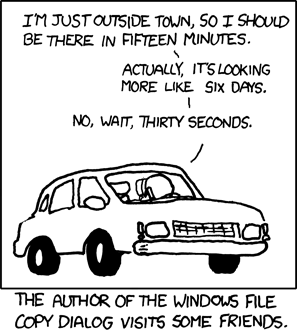
(Seriously, for the love of all that’s holy, and unholy, while you’re at it, fix this.)
*People complain about Vista. It's got nothing on Me.
**Please. (It's impossible to resist)
Sunday, February 15, 2015
Longest Road Trip Ever
 |
| And when I arrive at my destination, the moose out front will tell me the park's closed. |
Saturday, February 14, 2015
Clean Slate
On my way home from work yesterday I realized that – given that various moments of forgetfulness had led to me not sending it back until almost a week after setting up the exchange – that I was within the estimated timeframe, though a bit on the early side, of my replacement Surface Pro 3 arriving.
I’m guessing that it was because it was on my mind that my reflexes were up to the task of allowing me to catch it with my foot as I opened the door and the package containing my new SP3 came flying out at me from its hiding place between the doors.
Because it was an entirely new device – they replaced the whole thing rather than replacing or repairing the defective part – that meant that I had to go through the process of setting the whole thing up again.
There was the initial setup that follows from turning it on the first time, such as pairing it with the Surface Pen, selecting a language, region, and time zone, and connecting it to my home network.
From there, it was a matter of setting up the various customizations and personalization, and reinstalling applications and reloading personal files.
Windows 8.1 makes that a lot less painful than it used to be, thanks to the use of the Microsoft Account login and the ability to sync settings, themes, and “modern” apps across devices. Once you’re signed in, if you’re using the syncing options, you’re presented with the lockscreen and desktop wallpaper images you’ve set up on your other PCs, you’ve got all of your bookmarks, and in the “All Apps” screen, you see a list of all of the apps you’ve installed using your Microsoft Account. Granted, the majority of those apps need to be reinstalled, but at least you have them there and don’t have to try to remember which apps you had. The reinstall occurs as soon as you tap on the app.
This process will get even simpler in the future with Windows 10 and as “universal” apps become more ubiquitous, at least if we assume that the “universal” apps ultimately end up replacing the more traditional desktop applications. In the case of those applications, I did have to go through the process of manually reinstalling, which is also, in many cases, a little less painful than it used to be. In particular, reinstalling the Adobe applications was a matter of simply downloading and installing the Adobe Creative Cloud Desktop application, signing in, and choosing the applications I wanted to install.
Manga Studio was a little more complicated, as I had to dig out my Serial Number, go to the update site, download the most recent update (the updates actually contain the full version), and go through the somewhat convoluted process of downloading it. It was still simpler than using the physical media to install it, as I would have had to connect a DVD drive and set that up, then do the install, and then end up having to download the update anyway.
(It’s worth noting that while I had uninstalled the Adobe applications from the old SP3 before sending it in, I had neglected to sign out of them first, so the first time I launched Photoshop on the new SP3, it complained that I had too many devices registered – the limit is two – and I had to tell it to sign me out of all of the others before it would let me sign in on the new SP3. That meant that, in turn, I had to sign back in on my desktop PC.)
So, while I question whether or not “universal” apps will ever be as robust and powerful as the more traditional desktop applications – even Microsoft intends to make both “universal,” which is to say, “touch-friendly,” versions of Office applications concurrently with more fully-featured desktop versions for the foreseeable future – if there ever comes a time that the universal (dropping the scare quotes) apps supplant their ancestors, the reinstall process when getting a new PC or tablet will become much more streamlined.
Beyond the applications there were also the various add-ins – and again, syncing based on an account helps a lot – for browsers, and assorted other utilities and codecs that you need in order to do whatever it is that you normally do with a computer.
Personal files weren’t too much of an issue for me, as I keep most of them either on my NAS or in the cloud.
Overall, the initial set-up and restoration went pretty smoothly – except for that moment when I was just finishing up an installation and accidentally pulled the plug, and the not-yet charged SP3 shut off, but that ended up not causing any real issues.
Later, though, things got a bit more bothersome.
When Windows 8 launched, Microsoft made Windows Media Center, which was integrated into Windows back into the days of XP, into a paid add-on. I like Media Center, for a lot of reasons, not the least of which is that it allows me to add non-indexed locations to my media libraries.
As something of an aside, seriously, Microsoft – People use Network Attached Storage devices and need to be able to add them to libraries. Either find a way to index them, or let non-indexed locations be added to libraries. Media Center proves that it can be done, and the fact that it’s looking like Media Center won’t be available in Windows 10 at all means that you have to find a way to make libraries and NAS locations work together. I know you’re pushing OneDrive and the cloud, but even though I have unlimited OneDrive storage thanks to my Office 365 subscription, after having you shut down my previous OneDrive account because I had pictures – that weren’t being shared with anyone – that violated your puritanical and draconian rules about nudity (“Oh noes, that woman’s shirt is wet and you can see her no-no parts!”), I can tell you that I have a lot of files that are never, ever going to get stored on OneDrive, so I need my NAS. Making files available offline – your “solution” to the indexing problem – isn’t a solution, because I don’t have an extra 3 TB of space on my 256 GB SSD to store duplicate copies, and if I wanted to keep them on my local drive I wouldn’t have stored them on a NAS in the first place.
*Ahem*
Anyway, I like Media Center enough that I’d paid the extra money to add the feature on my former SP3, and, since I no longer had that one, I figured I could use the Product Key to activate it on my new one, so that’s what I did.
The first sign of trouble (which, to be fair, I kind of expected) I noticed was that there was a bit of text in the lower right corner of the Desktop listing the build number of Windows 8.1 currently installed. This is something you normally only see when you’re running a consumer or technical preview (which is to say a beta version) of Windows, or when your copy of Windows isn’t activated.
I checked my settings and sure enough I saw an option to activate Windows. I tried it, even though I knew it would fail, because if it were going to work I wouldn’t be seeing the option in the first place. It did fail, of course.
The reason is that when you add Media Center and its Product Key, you actually change the Product Key of Windows itself. So by adding the Product Key for the copy of Media Center that had been installed on the old SP3, I changed the new SP3’s Key to the old Key. Because the old Key was in use on the validation server, my copy of Windows was deemed invalid.
I called the number provided and talked to an automated system, which walked me through the process of getting a new, valid Key that I could use to activate my copy of Windows. While it meant rattling off a lot of numbers to the system and then, in turn, having a lot of numbers rattled off to me, it was a relatively painless experience, and it’s really only noteworthy in that in all the years that the whole validation/activation process has been in place it’s the first time I’ve ever had to do it.
In any case, I’m glad to have a working SP3 again, though now I’m not really sure what I’m going to do with the SP2. Of course, that’s been a problem for a while, as I don’t really need two Surface Pros, and I don’t feel like dealing with the hassle of trying to sell the SP2, nor am I especially inclined to just give it away. However, it’s more complicated now, as I installed the Technical Preview of Windows 10 on the SP2 and want to continue putting the new OS through its paces and contribute my feedback to its continuing development, but now that I have my SP3, I’m not sure how much I’ll make use of the 2.
Still, I will try to use it so more, if for no other reason than to get material for an upcoming post about Windows 10.
Wednesday, February 11, 2015
Scratching The Surface
As mentioned in a footnote in my last post, a while back I bit the bullet and picked up a Surface Pro 3.
I did so despite the fact that earlier in the year I had picked up the 2, had been annoyed at how close on the heels of that purchase Microsoft announced the 3, and being wary of switching from a device with a Wacom digitizer to one with an N-Trig digitizer (I had a really negative experience with N-Trig on an old Tablet PC) and its lower levels of pressure sensitivity.
Mostly because it was a good deal. Or rather, a couple of good deals.
The first deal that caught my attention was for a 28” 4K monitor bundled with a Surface Pro 3 Docking Station.
I wanted that monitor – especially for that price – but the Docking Station wouldn’t do me any good without an SP3 to dock in it, as, due to the size difference and the different connectors, the SP2 wouldn’t fit in the SP3 dock.
Once they offered $150 the cost of the SP3, I decided to just go for it. After all, the SP3 was bigger, while being lighter and thinner, had a higher resolution, a better battery life, and by most accounts the N-Trig digitizer worked just fine. Plus there were some cool additional functions that ne Surface Pen could perform.
As for the lower pressure sensitivity – 256 levels as opposed to the 1,024 of the SP2 – well, as I mentioned in my last post, I’m not really physically capable of utilizing that many levels anyway.
So I ponied up the cash for the monitor/docking station bundle, a Type Cover, and a Core i7 model SP3.
I didn’t go top of the line, as the only differentiator between the two Core i7 models is the amount of storage. Between cloud services, microSD cards, external drives, and my NAS, I’m not really hurting for storage*, so the penultimate model, with a 256 GB SSD as opposed to the 512 GB of the ultimate version, was the best value proposition.
In due course, my order arrived, I got everything set up, and I was very happy with it. Happier – owing to the many improvements in form, such as the vastly-improved kickstand – than I was with the SP2.
However, about two or three weeks later I got an e-mail from Adobe. As a subscriber to their Creative Cloud service, the message informed me, I could take advantage of a special offer: $479 off the the price of a new Surface Pro 3.
”SON OF A BITCH!” I would have yelled, if I hadn’t been at work when I read the e-mail. With that much of a discount I could have gotten the 512 GB version and still paid less than what I paid for the 256 GB model and the accessories.
*Sigh*
Still, I remained happy with the SP3 itself, though I did consider returning it, then using the Adobe discount, but ultimately laziness won out over parsimony.
Despite that annoyance, everything was going along smoothly until a couple of weeks ago when I brought my car in to the dealership for its regularly-scheduled maintenance. The only time I could get in for an appointment was during the workday, so I brought my SP3 along with the intention of using the free Wi-Fi to get work done while I waited.
I fired up the SP3 and was presented with a message informing me that no wireless networks were available.
”That can’t be right,” I thought, and confirmed my suspicion by connecting to the available network with my phone.
So I spent most of the time there troubleshooting the network connectivity issue without success.
As a result, I noticed a couple of things that were odd beyond the SP3’s inability to see available networks.
1. The Surface Pen wouldn’t launch OneNote upon having the top button clicked, which is one of the cool features of the SP3 and its pen
2. There was no listing for Bluetooth in the Device Manager
3. There was an “Unknown USB Device” listed in Device Manager with an exclamation point
I was unable to resolve any of these issues – which all appeared to be related – or find much help online. (The Internet being useless when it comes to finding a solution to a problem? What are the odds, he asked, sarcastically.)
The couple of forum posts I found for similar issues all pointed to one conclusion: a hardware problem. Specifically, a problem with the Wireless Network Adapter.
Even though Device Manager reporting it working fine, this made sense, as the same hardware controls Bluetooth – which is how the Surface Pen communicates with the SP3 – and the “Unknown USB Device” was most likely the Bluetooth component, which probably (I guessed) had an impact on the Adapter’s ability to “discover” available signals, whether Bluetooth or Wi-Fi.
After contacting Microsoft support and, eventually, leading them to the conclusion that I had already reached, it was determined that I had faulty equipment and needed to exchange it for a new one. I could take my chances and drive to a brick-and-mortar Microsoft Store and hope that they had one in stock to replace mine, but the safer option was to ship it to the exchange center and wait.
In the meantime, I’ve busted out the SP2, which has been sitting around waiting for me to figure out what I’m going to do with it. I have to say that, despite being less than a year old, and having only gone unused for a couple of months, it feels positively archaic in comparison. And it’s so heavy!
While I’m using it I decided to install the Technical Preview of Windows 10 on it. I’ll talk more about that in a future post.
In any case, the one thing I want to do is mention this for anyone – and hopefully it’s not a widespread issue – dealing with same problem with the SP3 that I had in a bold, TL; DR version that will hopefully show up in search results.
Surface Pro 3 – Unable to find available networks, no Bluetooth, Unknown USB Device in Device manager = hardware failure and requires a replacement.
I repeat: If your Surface Pro 3 has no Bluetooth and can’t see available wireless networks, you need to exchange it for a new one.
*Well, I did have some storage issues on my desktop PC, due to having a relatively small C: drive. I’ve since replaced it with a 256 GB SSD, which is sufficient to house the OS and my applications and a bit more besides.
I did so despite the fact that earlier in the year I had picked up the 2, had been annoyed at how close on the heels of that purchase Microsoft announced the 3, and being wary of switching from a device with a Wacom digitizer to one with an N-Trig digitizer (I had a really negative experience with N-Trig on an old Tablet PC) and its lower levels of pressure sensitivity.
Mostly because it was a good deal. Or rather, a couple of good deals.
The first deal that caught my attention was for a 28” 4K monitor bundled with a Surface Pro 3 Docking Station.
I wanted that monitor – especially for that price – but the Docking Station wouldn’t do me any good without an SP3 to dock in it, as, due to the size difference and the different connectors, the SP2 wouldn’t fit in the SP3 dock.
Once they offered $150 the cost of the SP3, I decided to just go for it. After all, the SP3 was bigger, while being lighter and thinner, had a higher resolution, a better battery life, and by most accounts the N-Trig digitizer worked just fine. Plus there were some cool additional functions that ne Surface Pen could perform.
As for the lower pressure sensitivity – 256 levels as opposed to the 1,024 of the SP2 – well, as I mentioned in my last post, I’m not really physically capable of utilizing that many levels anyway.
So I ponied up the cash for the monitor/docking station bundle, a Type Cover, and a Core i7 model SP3.
I didn’t go top of the line, as the only differentiator between the two Core i7 models is the amount of storage. Between cloud services, microSD cards, external drives, and my NAS, I’m not really hurting for storage*, so the penultimate model, with a 256 GB SSD as opposed to the 512 GB of the ultimate version, was the best value proposition.
In due course, my order arrived, I got everything set up, and I was very happy with it. Happier – owing to the many improvements in form, such as the vastly-improved kickstand – than I was with the SP2.
However, about two or three weeks later I got an e-mail from Adobe. As a subscriber to their Creative Cloud service, the message informed me, I could take advantage of a special offer: $479 off the the price of a new Surface Pro 3.
”SON OF A BITCH!” I would have yelled, if I hadn’t been at work when I read the e-mail. With that much of a discount I could have gotten the 512 GB version and still paid less than what I paid for the 256 GB model and the accessories.
*Sigh*
Still, I remained happy with the SP3 itself, though I did consider returning it, then using the Adobe discount, but ultimately laziness won out over parsimony.
Despite that annoyance, everything was going along smoothly until a couple of weeks ago when I brought my car in to the dealership for its regularly-scheduled maintenance. The only time I could get in for an appointment was during the workday, so I brought my SP3 along with the intention of using the free Wi-Fi to get work done while I waited.
I fired up the SP3 and was presented with a message informing me that no wireless networks were available.
”That can’t be right,” I thought, and confirmed my suspicion by connecting to the available network with my phone.
So I spent most of the time there troubleshooting the network connectivity issue without success.
As a result, I noticed a couple of things that were odd beyond the SP3’s inability to see available networks.
1. The Surface Pen wouldn’t launch OneNote upon having the top button clicked, which is one of the cool features of the SP3 and its pen
2. There was no listing for Bluetooth in the Device Manager
3. There was an “Unknown USB Device” listed in Device Manager with an exclamation point
I was unable to resolve any of these issues – which all appeared to be related – or find much help online. (The Internet being useless when it comes to finding a solution to a problem? What are the odds, he asked, sarcastically.)
The couple of forum posts I found for similar issues all pointed to one conclusion: a hardware problem. Specifically, a problem with the Wireless Network Adapter.
Even though Device Manager reporting it working fine, this made sense, as the same hardware controls Bluetooth – which is how the Surface Pen communicates with the SP3 – and the “Unknown USB Device” was most likely the Bluetooth component, which probably (I guessed) had an impact on the Adapter’s ability to “discover” available signals, whether Bluetooth or Wi-Fi.
After contacting Microsoft support and, eventually, leading them to the conclusion that I had already reached, it was determined that I had faulty equipment and needed to exchange it for a new one. I could take my chances and drive to a brick-and-mortar Microsoft Store and hope that they had one in stock to replace mine, but the safer option was to ship it to the exchange center and wait.
In the meantime, I’ve busted out the SP2, which has been sitting around waiting for me to figure out what I’m going to do with it. I have to say that, despite being less than a year old, and having only gone unused for a couple of months, it feels positively archaic in comparison. And it’s so heavy!
While I’m using it I decided to install the Technical Preview of Windows 10 on it. I’ll talk more about that in a future post.
In any case, the one thing I want to do is mention this for anyone – and hopefully it’s not a widespread issue – dealing with same problem with the SP3 that I had in a bold, TL; DR version that will hopefully show up in search results.
Surface Pro 3 – Unable to find available networks, no Bluetooth, Unknown USB Device in Device manager = hardware failure and requires a replacement.
I repeat: If your Surface Pro 3 has no Bluetooth and can’t see available wireless networks, you need to exchange it for a new one.
*Well, I did have some storage issues on my desktop PC, due to having a relatively small C: drive. I’ve since replaced it with a 256 GB SSD, which is sufficient to house the OS and my applications and a bit more besides.
Saturday, February 07, 2015
Touch-a Touch-a Touch Me, I Want To Feel Artsy
As mentioned in my previous post, I decided to give up on waiting for my tax refund and/or bonus – or for anyone to make use of the “Donate” button – and went ahead and plunked down the cash for a shiny new Wacom Cintiq 27QHD Touch.
Yes, it was a lot of money to spend – nearly as much as I spent on the custom-built, high-powered desktop PC it’s connected to – and, realistically, it was a total waste of money, because, seriously, this is the sort of thing that successful, professional artists would think more than twice about splurging on, so a semi-talented amateur like myself has no business spending that kind of money on something that, ultimately, is probably just going to frustrate me because having all of that creative power at my fingertips can’t make up for the limitations of my talent and skill, and it will never, ever (ever) pay for itself.
Hell, the last one, which was $800 cheaper than this one, never managed to pay for itself.
So, yes. It was a waste.
But it’s a beautiful waste that did at least provide me with one shining moment of joy as I removed it from its packaging, laid my eyes on it, and heard Etta James in my head singing, “My lonely days are over and life is like a song.”
Of course, somewhat later, I heard MC Chris – as Sir Loin (formerly MC Pee Pants) – saying, “I can’t fill the hole in my life with things,” but still, as I placed it on my kitchen table and stepped back to admire it, I did my customary dorky clap/giggle combo.
I should mention that Etta James crooning “At Last” in my head was inspired in part by the fact that I had to wait longer than I had expected before I actually received the thing. I’d ordered it on a Thursday, and, thinking, “In for a penny, in for a pound,” sprung for the overnight air option. I didn’t anticipate actually getting it the next day, given that I’d ordered it fairly late in the day, but I figured I’d get it by Monday. Tuesday at the latest.
In fact, I was really hoping that it would be one of those days, as I was going to be in a virtual training for the first three days of the following week, which meant working from home – my cubicle isn’t exactly the ideal distraction-free environment – which meant that I didn’t have to get up as early, which, in turn, meant that I could stay up later on Monday and Tuesday, giving me more time to get it set up and to start using it.
However, every time I checked on the status of my order at the Wacom store it only showed it as “submitted” and said that there was no tracking number available. Finally, on Tuesday, I got an e-mail from UPS telling me that it had shipped and would arrive on Wednesday.
Class wrapped up early on Wednesday, so I would have had a few more hours to get it set up, but it didn’t actually arrive until the early evening.
I had just enough time to get it set up before I had to start preparing for bed, and I really didn’t get to use it all because I immediately ran into a problem.
The Cintiq has a resolution of 2,560x1,440, which is a resolution that the aging graphics card in my PC could support…but not with the connection options available. That resolution requires a DVI-I Dual-Link connection. The Cintiq only supports Displayport or HDMI, and when connected via HDMI (of the two types that was the only one available on my card), it was limited to 1,920x1,080, which left a lot of dead space on the edges, and was a complete waste of the Cintiq’s potential.
So a new graphics card was required, which was fine, as I’d been thinking about getting a new one anyway, but I didn’t have time to run out and buy one and install it. So that had to wait until the next day.
Once that was accomplished, I ran into my first problem with it. When I’d connected it via HDMI the night before, I’d gone though the calibration, which determines where the actual point on the screen is in relation to the tip of the pen. At the native resolution, the calibration was way off. I attempted to re-calibrate it, using the Tablet PC settings in Windows itself, and via the Wacom software, but neither would let me actually calibrate. The Tablet PC calibration tool would show me the crosshairs, but would completely ignore my taps. The Wacom tool wouldn’t even give me the crosshairs.
Neither tool gave me the option to reset to the default. So I uninstalled the Wacom software, which reset the calibration to the default, and then reinstalled it. I’m still unable to perform the calibration, which is annoying, because seriously, shit should work, but not really a major issue, as the default is actually pretty good, and probably better than what I would be able to manage if I did my own calibration anyway.
Once all of that was taken care of, and I had some time to start playing around with it, and here’s what I’ve noted so far.
Pressure Sensitivity and Palm Rejection
I found that while 2,048 levels of pressure sensitivity – compared to the 1,024 of the old Cintiq, and the 256 of my Surface Pro 3* – is probably around 2,044 levels more than I’m capable of using consistently, it’s also pretty amazing, and does make lines of incredibly varying thickness (theoretically) possible.
That my Frankenstein hands are physically incapable of much in the way of subtle gradations of pressure should in no way take away from the Cintiq’s capabilities in this regard. The thing is amazing.
Given that, unlike the Cintiq it’s replacing, the 27QHD also features multi-point capacitive touch, palm rejection, that is, ignoring errant touches from your palm while the pen is in use, is essential, and this is another area in which the 27QHD excels. If anything, it sometimes works a little too well, ignoring my attempts to use my fingers to pinch-zoom or rotate the canvas if I try doing so with the same hand that’s holding the pen if the pen is still too close to the screen, even though the tip is pointed away from it. That minor annoyance aside – really I just have to modify my workflow – it’s pretty impressive, especially compared to my Surface Pro 2, which also uses a Wacom digitizer and would periodically accept touch input even while the pen was in use, leading to some random smudges, or closed tool panel or window.
Of course, the palm rejection does get by with a little help from its friends, as Photoshop ignores all touch other than actual gestures (rotate, pinch to zoom) in the active drawing area by default. At least I assume it’s the default; that’s how it’s been since they’ve updated to the touch-friendly version, and if it’s a setting, I don’t know how to get to it.
Mischief, a nice, lightweight drawing program that I like a lot, takes it to an extreme. Not only does it ignore any and all touch beyond actual gestures, whenever it’s not minimized it disables all other touch, period. That is, I can’t actually interact with Windows itself via touch while using Mischief until I minimize the program to the taskbar. Given that I’ve never observed this behavior on the SP2 or SP3, I’m assuming this is some sort of bug.
Manga Studio, however, does not reject errant touches, and I find that I have to be munch more careful that that pen is always active when I’m drawing, otherwise I end up with random strokes appearing on the canvas, or I’ll end up closing a tool palette or changing the active layer.
I should also mention that there is little or no lag; strokes on the screen flow pretty smoothly as I move, and feel very natural and fluid, even in Photoshop, where there had been considerable lag with my previous Cintiq.
ExpressKey Remote
My old Cintiq had a set of “ExpressKeys” on either side, which performed various functions and were customizable. For example, there was a long, thin strip that would zoom a drawing in and out, an undo button, and so on. Later iterations of the Cintiq, such as the 22 and 24-inch versions, further enhanced the functionality of these keys.
The 27QHD, however, removes the keys from the Cintiq itself and places them on a small, separate device, the Express Key Remote.
Being a separate device allows for greater flexibility, and not having the ExpressKeys on the Cintiq itself makes for a sleeker appearance. Additionally, on the old Cintiq, I had to disable the ExpressKeys on the right side, as I kept bumping them with my elbow and unexpectedly zooming in or undoing my last stroke.
However, the base of the Remote is magnetic, so you can place on the Cintiq’s bezel for easy, familiar access.
I’m still getting used to the Remote, as it has a lot more functionality than what had been available on my old Cintiq, and I have difficulty remembering which button does what. Additionally, because it runs on a rechargeable battery – it charges via USB and can be plugged into one of the available ports on the Cintiq itself to do so – after a certain period of inactivity it shuts itself off, so when I get distracted while drawing and then return to the 27QHD later, I often find that I’m pushing a button and nothing is happening.
The Major Complaints
As mentioned, the fact that I can’t get the calibration to work is annoying, even though I’m terrible at calibrating screens anyway. Shit should work.
I’ve been using Wacom products since 2001, though originally I was limited to the non-display tablets, such as you find in their Intuous line of products, and in all that time one thing has remained consistent: sometimes the driver just craps out and stops working.
I’ll be in the middle of drawing something and then bring the pen down to add another stroke and…nothing. I might as well be trying to draw on my TV. Going into Control Panel and launching the Wacom software results in an error message claiming that the driver isn’t installed. Typically, the functionality can be restored by going into Task Manager and stopping/re-starting the Wacom Service, but that generally only works temporarily, and at some point the only option left is to reboot.
Fortunately, it’s not a frequent problem, but the unpredictable nature of it makes it a major annoyance, especially given the expense of the device. Again, shit should work.
My final complaint is kind of nit-picky, I suppose, but it concerns the bundled third-party software. As the registered owner of a nearly $3,000 device, I received a special offer for free software that can unleash the power of my Cintiq. By which I mean either free trials of software, or free versions of software (such as Autodesk Sketchbook Express) that are free for anyone, regardless of whether they’ve given a single cent to Wacom. Sure, there’s also a bit of a discount on some of the full versions, but it’s still an extremely weak offer.
The Results
Time and ambition constraints have meant that I haven’t spent a whole lot of time actually using the 27QHD beyond simply attempting to get the hang of it and figuring out how to adapt my workflow to make efficient use of its capabilities, but I did do this quick picture of Bettie Page as part of a shakedown run.

Wrap Up
Ultimately, no expensive new piece of technology, except maybe some futuristic cybernetic implants and prosthetics that don’t exist yet, is going to make me a better artist, and it wasn’t my expectation that the 27QHD would do that. It will, once I get more accustomed to it, make me more efficient in a lot of ways, and the higher resolution and pressure sensitivity will likely have some impact on the overall appearance of my finished work, though, and while that hit to my wallet still stings a little, if nothing else I’ll always have that moment when I stood back and admired its beauty.
*Oh, yeah. I bought a Surface Pro 3 on Black Friday. That will be the subject of its own post.
Yes, it was a lot of money to spend – nearly as much as I spent on the custom-built, high-powered desktop PC it’s connected to – and, realistically, it was a total waste of money, because, seriously, this is the sort of thing that successful, professional artists would think more than twice about splurging on, so a semi-talented amateur like myself has no business spending that kind of money on something that, ultimately, is probably just going to frustrate me because having all of that creative power at my fingertips can’t make up for the limitations of my talent and skill, and it will never, ever (ever) pay for itself.
Hell, the last one, which was $800 cheaper than this one, never managed to pay for itself.
So, yes. It was a waste.
But it’s a beautiful waste that did at least provide me with one shining moment of joy as I removed it from its packaging, laid my eyes on it, and heard Etta James in my head singing, “My lonely days are over and life is like a song.”
Of course, somewhat later, I heard MC Chris – as Sir Loin (formerly MC Pee Pants) – saying, “I can’t fill the hole in my life with things,” but still, as I placed it on my kitchen table and stepped back to admire it, I did my customary dorky clap/giggle combo.
 |
| I also giggled because I thought, "That things huge," and then thought, "That's what she said." I'm twelve. |
In fact, I was really hoping that it would be one of those days, as I was going to be in a virtual training for the first three days of the following week, which meant working from home – my cubicle isn’t exactly the ideal distraction-free environment – which meant that I didn’t have to get up as early, which, in turn, meant that I could stay up later on Monday and Tuesday, giving me more time to get it set up and to start using it.
However, every time I checked on the status of my order at the Wacom store it only showed it as “submitted” and said that there was no tracking number available. Finally, on Tuesday, I got an e-mail from UPS telling me that it had shipped and would arrive on Wednesday.
Class wrapped up early on Wednesday, so I would have had a few more hours to get it set up, but it didn’t actually arrive until the early evening.
I had just enough time to get it set up before I had to start preparing for bed, and I really didn’t get to use it all because I immediately ran into a problem.
The Cintiq has a resolution of 2,560x1,440, which is a resolution that the aging graphics card in my PC could support…but not with the connection options available. That resolution requires a DVI-I Dual-Link connection. The Cintiq only supports Displayport or HDMI, and when connected via HDMI (of the two types that was the only one available on my card), it was limited to 1,920x1,080, which left a lot of dead space on the edges, and was a complete waste of the Cintiq’s potential.
So a new graphics card was required, which was fine, as I’d been thinking about getting a new one anyway, but I didn’t have time to run out and buy one and install it. So that had to wait until the next day.
 |
| Set up with its siblings, a 29" ultra-widescreen monitor and a 24" monitor. |
Once that was accomplished, I ran into my first problem with it. When I’d connected it via HDMI the night before, I’d gone though the calibration, which determines where the actual point on the screen is in relation to the tip of the pen. At the native resolution, the calibration was way off. I attempted to re-calibrate it, using the Tablet PC settings in Windows itself, and via the Wacom software, but neither would let me actually calibrate. The Tablet PC calibration tool would show me the crosshairs, but would completely ignore my taps. The Wacom tool wouldn’t even give me the crosshairs.
Neither tool gave me the option to reset to the default. So I uninstalled the Wacom software, which reset the calibration to the default, and then reinstalled it. I’m still unable to perform the calibration, which is annoying, because seriously, shit should work, but not really a major issue, as the default is actually pretty good, and probably better than what I would be able to manage if I did my own calibration anyway.
Once all of that was taken care of, and I had some time to start playing around with it, and here’s what I’ve noted so far.
Pressure Sensitivity and Palm Rejection
I found that while 2,048 levels of pressure sensitivity – compared to the 1,024 of the old Cintiq, and the 256 of my Surface Pro 3* – is probably around 2,044 levels more than I’m capable of using consistently, it’s also pretty amazing, and does make lines of incredibly varying thickness (theoretically) possible.
That my Frankenstein hands are physically incapable of much in the way of subtle gradations of pressure should in no way take away from the Cintiq’s capabilities in this regard. The thing is amazing.
 |
| Some random strokes demonstrating the 27QHD's capabilities and Jon's limitations. |
Given that, unlike the Cintiq it’s replacing, the 27QHD also features multi-point capacitive touch, palm rejection, that is, ignoring errant touches from your palm while the pen is in use, is essential, and this is another area in which the 27QHD excels. If anything, it sometimes works a little too well, ignoring my attempts to use my fingers to pinch-zoom or rotate the canvas if I try doing so with the same hand that’s holding the pen if the pen is still too close to the screen, even though the tip is pointed away from it. That minor annoyance aside – really I just have to modify my workflow – it’s pretty impressive, especially compared to my Surface Pro 2, which also uses a Wacom digitizer and would periodically accept touch input even while the pen was in use, leading to some random smudges, or closed tool panel or window.
Of course, the palm rejection does get by with a little help from its friends, as Photoshop ignores all touch other than actual gestures (rotate, pinch to zoom) in the active drawing area by default. At least I assume it’s the default; that’s how it’s been since they’ve updated to the touch-friendly version, and if it’s a setting, I don’t know how to get to it.
Mischief, a nice, lightweight drawing program that I like a lot, takes it to an extreme. Not only does it ignore any and all touch beyond actual gestures, whenever it’s not minimized it disables all other touch, period. That is, I can’t actually interact with Windows itself via touch while using Mischief until I minimize the program to the taskbar. Given that I’ve never observed this behavior on the SP2 or SP3, I’m assuming this is some sort of bug.
Manga Studio, however, does not reject errant touches, and I find that I have to be munch more careful that that pen is always active when I’m drawing, otherwise I end up with random strokes appearing on the canvas, or I’ll end up closing a tool palette or changing the active layer.
I should also mention that there is little or no lag; strokes on the screen flow pretty smoothly as I move, and feel very natural and fluid, even in Photoshop, where there had been considerable lag with my previous Cintiq.
ExpressKey Remote
My old Cintiq had a set of “ExpressKeys” on either side, which performed various functions and were customizable. For example, there was a long, thin strip that would zoom a drawing in and out, an undo button, and so on. Later iterations of the Cintiq, such as the 22 and 24-inch versions, further enhanced the functionality of these keys.
The 27QHD, however, removes the keys from the Cintiq itself and places them on a small, separate device, the Express Key Remote.
Being a separate device allows for greater flexibility, and not having the ExpressKeys on the Cintiq itself makes for a sleeker appearance. Additionally, on the old Cintiq, I had to disable the ExpressKeys on the right side, as I kept bumping them with my elbow and unexpectedly zooming in or undoing my last stroke.
However, the base of the Remote is magnetic, so you can place on the Cintiq’s bezel for easy, familiar access.
I’m still getting used to the Remote, as it has a lot more functionality than what had been available on my old Cintiq, and I have difficulty remembering which button does what. Additionally, because it runs on a rechargeable battery – it charges via USB and can be plugged into one of the available ports on the Cintiq itself to do so – after a certain period of inactivity it shuts itself off, so when I get distracted while drawing and then return to the 27QHD later, I often find that I’m pushing a button and nothing is happening.
The Major Complaints
As mentioned, the fact that I can’t get the calibration to work is annoying, even though I’m terrible at calibrating screens anyway. Shit should work.
I’ve been using Wacom products since 2001, though originally I was limited to the non-display tablets, such as you find in their Intuous line of products, and in all that time one thing has remained consistent: sometimes the driver just craps out and stops working.
I’ll be in the middle of drawing something and then bring the pen down to add another stroke and…nothing. I might as well be trying to draw on my TV. Going into Control Panel and launching the Wacom software results in an error message claiming that the driver isn’t installed. Typically, the functionality can be restored by going into Task Manager and stopping/re-starting the Wacom Service, but that generally only works temporarily, and at some point the only option left is to reboot.
Fortunately, it’s not a frequent problem, but the unpredictable nature of it makes it a major annoyance, especially given the expense of the device. Again, shit should work.
My final complaint is kind of nit-picky, I suppose, but it concerns the bundled third-party software. As the registered owner of a nearly $3,000 device, I received a special offer for free software that can unleash the power of my Cintiq. By which I mean either free trials of software, or free versions of software (such as Autodesk Sketchbook Express) that are free for anyone, regardless of whether they’ve given a single cent to Wacom. Sure, there’s also a bit of a discount on some of the full versions, but it’s still an extremely weak offer.
The Results
Time and ambition constraints have meant that I haven’t spent a whole lot of time actually using the 27QHD beyond simply attempting to get the hang of it and figuring out how to adapt my workflow to make efficient use of its capabilities, but I did do this quick picture of Bettie Page as part of a shakedown run.

Wrap Up
Ultimately, no expensive new piece of technology, except maybe some futuristic cybernetic implants and prosthetics that don’t exist yet, is going to make me a better artist, and it wasn’t my expectation that the 27QHD would do that. It will, once I get more accustomed to it, make me more efficient in a lot of ways, and the higher resolution and pressure sensitivity will likely have some impact on the overall appearance of my finished work, though, and while that hit to my wallet still stings a little, if nothing else I’ll always have that moment when I stood back and admired its beauty.
*Oh, yeah. I bought a Surface Pro 3 on Black Friday. That will be the subject of its own post.
Tuesday, February 03, 2015
It’s (Not) A Draw
A couple of years ago I took a drawing class. One of those adult enrichment type of things.
It seemed like a good idea, as it was a beginner class focused largely on basic techniques and some of the fundamentals of materials and supplies, and I thought that getting back to basics would be good for me. In particular, I found it appealing because I’ve never had any sort of formal art instruction beyond some really, really basic instruction in oil/acrylic painting back in grade school.*
So I figured there were principles from the analog approach that I could apply to my digital workflow. In a lot of ways, it turned out to be a little too basic for my tastes, and there wasn’t quite enough focus on the differences between the various types of media and materials. Honestly, I knew – and still know – very little about the differences between types of leads, for example, beyond what I’ve figured out through trial-and-error. Given that I have an almost infinite digital toolbox of digital analogs of natural media tools at my fingertips I’d kind of like to know what more of them, you know, do.
And, again, I thought there would be some benefit to a more formal, structured approach than “I’ll try this one and see how it looks, I guess.”
Which isn’t to say that the class was a waste of time, I just wished that it had been more in-depth, though I suppose that, given the amount of time available for the class – it was a total of about 16 hours, spread out over 8 sessions – I probably set my expectations too high.
In any case, a while back I – and everyone else who had been in the class – got an e-mail from the instructor about an upcoming intermediate version of the class. I considered signing up for it, but then I started thinking about some of the other issues I had with the introductory class.
…
It’s going to sound like I’m trying to do some sort of “humblebrag,” but that’s not at all what I’m going for, but the other issues I had with the class related to the other students. More to the point, it related to how the other students in the class related to me.
See, most of the other students were absolute beginners, people who had never really put pencil to paper in any sort of serious attempt at creating art.
And, to be honest…it showed.
But that’s okay! I, personally, think that it was great that they were making the attempt at all, and, while most of them didn’t appear to have any sort of natural talent for it, drawing is also a skill, and as such, anyone, talented or not, can get better at it. And even if they don’t get better, it’s still possible to enjoy the activity for its own sake.
Except…well, I do have some amount of natural talent for drawing – though not nearly so much as I’d like – and, despite never formally learning how, I’ve been drawing for as long as I can remember.
So, not to put too fine a point on it, I was better at it than everyone else in the class.
A lot better.
To the extent that the instructor would have the other students stop what they were doing in order to watch what I was doing.
The attention alone, while flattering, made me uncomfortable, but what made it kind of unbearable was what followed, which were a lot of comments that ranged from passive-aggressive to full-on spiteful.
Things like, “Oh, of course he’s doing it perfectly.” Or, “(Disgusted sound) Loot at what he did.” Or, “I’m disgusted by how talented he is,” and, “It just makes you sick.”
It’s worth noting that most of the comments were made about me and seldom directly to me, but everyone made sure that I heard.
Again, I’m not mentioning this to make myself look good, particularly given that these comments – and even the non-verbal things, like the sighs and shaking heads – made me feel terrible. It was not the least bit flattering.
Nor was it intended to be flattering.
Honestly, though, what really bothered me was that a lot of them would just give up. They’d see what I’d done, look at what they were doing, and say, “Why bother?”
So…yeah, I went there to learn along with everyone else, but instead I was viewed as being an asshole just for being good at something, and my mere presence was disheartening for people.
I didn’t want to go somewhere and make people feel bad for not being as good at something as I am, and I didn’t want to be made to feel bad for being good at it,
I thought that in an intermediate class things might be different – particularly if there were some different students this time around – but given my previous experience, coupled with my desire to not have to, you know, go anywhere, I ultimately decided against signing up for it and deleted the e-mail.
In other drawing-related news, even though, as expected, no one donated anything to the cause, I ended up buying the Cintiq 27QHD Touch. Which is also as expected, I should think.
In any case, I’ll have more on that new investment in a later post.
*It wasn’t so much an “art” class as it was an “arts and crafts” class, and we were just as – if not more – likely to spend time making things out of pipe cleaners as we were to get into any real instruction on the process and theory of art. And when we did any sort of painting our only real options were to recreate images from vaguely religiously-themed picture postcards that would have been too treacly for Thomas Kincade. It also didn’t help that the teacher, an old small town fuddy-duddy, not only had no interest in encouraging my personal interest in art, she actively disapproved of the type of art I was interested in creating, viewing it as too vulgar (and possibly sacrilegious). Which isn’t any sort of indictment of the stuff I was drawing – I was a kid who was into comic books, so I mostly drew pictures of super heroes – but rather of her very limited view of what constituted art. (See: saccharine picture postcards, small town fuddy-duddy).
Wednesday, January 07, 2015
Anyone Got An Extra $2800 Lying Around?
And while you're at it, you might as well thrown in an extra $400 for the stand...
In my last post I made a reference to how the one thing I really wanted for Christmas (I didn't get it, in case you were wondering) was a Wacom Cintiq 24HD Touch.
It's just as well that no one was up for getting me one, as Wacom just announced the Cintiq 27QHD.
Which is what I want, not for Christmas, but right now.
Right. This. Second.
Of course, that's not actually possible, as it's not for sale yet (but will be soon), but even so, I want one ASAP.
So...who's going to buy one for me?
...
Don't all raise your hands at once...
Honestly, apart from the whole "Ooooh, shiny and new!" thing, the fact of the matter is that my current, much-earlier generation Cintiq is nearly six years old - which makes it positively ancient in technological terms - and it's beginning to show signs of its age and the general wear-and-tear of constant use, so I really do need (for a given value of "need," I suppose) to invest in a replacement.
And, come bonus/tax refund time, there's a good chance that I will grit my teeth buy one my damn self.
That said, if you look over to the right and scroll down a bit, you'll notice that there is a "donate" button - which has never in the history of its existence been clicked on, or if it has, has never led to anyone actually donating - so, you know, it would be possible to contribute to a "Jon's Colossal Waste of Money" fund, which would help defray at least some of the costs.
Just throwing that out there.
In my last post I made a reference to how the one thing I really wanted for Christmas (I didn't get it, in case you were wondering) was a Wacom Cintiq 24HD Touch.
It's just as well that no one was up for getting me one, as Wacom just announced the Cintiq 27QHD.
Which is what I want, not for Christmas, but right now.
Right. This. Second.
Of course, that's not actually possible, as it's not for sale yet (but will be soon), but even so, I want one ASAP.
So...who's going to buy one for me?
...
Don't all raise your hands at once...
Honestly, apart from the whole "Ooooh, shiny and new!" thing, the fact of the matter is that my current, much-earlier generation Cintiq is nearly six years old - which makes it positively ancient in technological terms - and it's beginning to show signs of its age and the general wear-and-tear of constant use, so I really do need (for a given value of "need," I suppose) to invest in a replacement.
And, come bonus/tax refund time, there's a good chance that I will grit my teeth buy one my damn self.
That said, if you look over to the right and scroll down a bit, you'll notice that there is a "donate" button - which has never in the history of its existence been clicked on, or if it has, has never led to anyone actually donating - so, you know, it would be possible to contribute to a "Jon's Colossal Waste of Money" fund, which would help defray at least some of the costs.
Just throwing that out there.
Saturday, November 29, 2014
All I Want For Christmas Is…?
It’s officially the time of year in which I get asked the dreaded question: What do you want for Christmas?
My standard reply – particularly when asked this by my mother – of “nothing,” is generally deemed as unacceptable.
Of course, my standard reply isn’t entirely true. I am not, after all, some enlightened Buddhist who has transcended material attachments and the prison of desire. I like having stuff, and I generally would like to have even more stuff or at least better versions of stuff that I already have.
The problem is, no one who is likely to give me stuff is willing or able to drop the kind of cash that would be required to give me the stuff that I really want, and even if they were, I won’t be willing to accept the stuff I want as a gift, because, seriously, regardless of your financial ability, there is no reason for anyone to spend that kind of money on me.
…okay, maybe if someone in my family or one of my close friends suddenly struck it rich and could easily afford to give such extravagant gifts, I might take a somewhat less principled stance, but even so, the point is, the stuff I want costs too damn much and it would be completely unreasonable for me to expect anyone I know to get said stuff for me.
Hell, even if all the people I know who are likely to give me a gift pooled their resources it would still be way too much money for them to invest individually.
Here’s a f’r instance:

What you’re looking at is a Wacom Cintiq 24 HD Touch. This is a device that runs north of $3,000.
What do I want for Christmas? I want that.
I only know one person in the world who can afford to buy that for me and with whom I’m sufficiently close that I’d be willing to accept such an extravagant gift: myself.
And even I’m not willing to buy that for me, so I certainly couldn’t ask anyone else to do so.
Of course, there are smaller, more affordable things that I want – or need – but the problem there is that if I want something, and it’s affordable, I’ll just buy it myself. That is, after all, why I’ve allowed myself to become a corporate drone and establishment stooge: so that I make enough money to buy myself the things that I want (within reason) and need. I mean, obviously I don’t work because sitting in a cubicle all day is my passion in life. It’s a thing that I do so that I can keep a roof over my head, food in my belly, and keep myself well-stocked with comics and electronic gadgets.
You may object that Christmas and gift-giving/gift-receiving are about more than just getting the stuff you want, and I would agree with you. It’s a big part of why I appreciate the gifts I do get, even though they’re generally things that I could easily buy for myself. I understand that the gift itself isn’t the point.
But by that same token, it’s part of why I don’t like being asked the question, because if you like me well enough that you feel compelled to get me something, you should also know me well enough to be able to identify an appropriate (and affordable) gift.
So maybe what I really want for Christmas is for the people I care about – and who care about me – to know me well enough to not have to ask that question.
That sounds kind of harsh, and I don’t mean it to, but it is what it is.
The other reason I find the question irksome is that if I give an answer and that ends up being the gift the element of surprise is gone, and while I’m not nearly so invested in Christmas as I was when I was a kid, there is still that part of me that enjoys the thrill of anticipation and the joy of uncertainty. Tearing open the wrapping paper is a lot more exciting when you have no idea – or at least are not completely certain – what’s inside.
However, I recognize that I’m not exactly the easiest person to know – or to understand – and when you factor in my tendency to just buy the things I want for myself, figuring out what to get for me is tricky without me providing some input.
So it’s a matter of trying to think of something that I want that I don’t yet know that I want, which, yeah, not easy.
But it’s not really any easier for me, frankly. I have a difficult time thinking of things that I want that I don’t already have that are also reasonably affordable.
Then there are the non-material things that no one can provide, or at least, that no one can buy, the things that I want even more than that too-damned-expensive-for-anyone-to-buy Cintiq, which can’t be given, and which I don’t seem to be able to acquire for myself. But we won’t delve into any of that…
Ultimately, while it’s not the most useful answer to the question, or an entirely honest one, “nothing” has been my go-to reply not because I don’t want anything, but because when I try to come up with an answer that hits all of the appropriate points, nothing is what I can come up with.
With all that said, no matter who you are, how close we are, or whether or not you can actually afford it, if you really want to buy me a Cintiq 24 HD Touch, in the spirit of the season, I will willingly set aside my principled objections to anyone spending that much money on me and grudgingly accept it…
My standard reply – particularly when asked this by my mother – of “nothing,” is generally deemed as unacceptable.
Of course, my standard reply isn’t entirely true. I am not, after all, some enlightened Buddhist who has transcended material attachments and the prison of desire. I like having stuff, and I generally would like to have even more stuff or at least better versions of stuff that I already have.
The problem is, no one who is likely to give me stuff is willing or able to drop the kind of cash that would be required to give me the stuff that I really want, and even if they were, I won’t be willing to accept the stuff I want as a gift, because, seriously, regardless of your financial ability, there is no reason for anyone to spend that kind of money on me.
…okay, maybe if someone in my family or one of my close friends suddenly struck it rich and could easily afford to give such extravagant gifts, I might take a somewhat less principled stance, but even so, the point is, the stuff I want costs too damn much and it would be completely unreasonable for me to expect anyone I know to get said stuff for me.
Hell, even if all the people I know who are likely to give me a gift pooled their resources it would still be way too much money for them to invest individually.
Here’s a f’r instance:

What you’re looking at is a Wacom Cintiq 24 HD Touch. This is a device that runs north of $3,000.
What do I want for Christmas? I want that.
I only know one person in the world who can afford to buy that for me and with whom I’m sufficiently close that I’d be willing to accept such an extravagant gift: myself.
And even I’m not willing to buy that for me, so I certainly couldn’t ask anyone else to do so.
Of course, there are smaller, more affordable things that I want – or need – but the problem there is that if I want something, and it’s affordable, I’ll just buy it myself. That is, after all, why I’ve allowed myself to become a corporate drone and establishment stooge: so that I make enough money to buy myself the things that I want (within reason) and need. I mean, obviously I don’t work because sitting in a cubicle all day is my passion in life. It’s a thing that I do so that I can keep a roof over my head, food in my belly, and keep myself well-stocked with comics and electronic gadgets.
You may object that Christmas and gift-giving/gift-receiving are about more than just getting the stuff you want, and I would agree with you. It’s a big part of why I appreciate the gifts I do get, even though they’re generally things that I could easily buy for myself. I understand that the gift itself isn’t the point.
But by that same token, it’s part of why I don’t like being asked the question, because if you like me well enough that you feel compelled to get me something, you should also know me well enough to be able to identify an appropriate (and affordable) gift.
So maybe what I really want for Christmas is for the people I care about – and who care about me – to know me well enough to not have to ask that question.
That sounds kind of harsh, and I don’t mean it to, but it is what it is.
The other reason I find the question irksome is that if I give an answer and that ends up being the gift the element of surprise is gone, and while I’m not nearly so invested in Christmas as I was when I was a kid, there is still that part of me that enjoys the thrill of anticipation and the joy of uncertainty. Tearing open the wrapping paper is a lot more exciting when you have no idea – or at least are not completely certain – what’s inside.
However, I recognize that I’m not exactly the easiest person to know – or to understand – and when you factor in my tendency to just buy the things I want for myself, figuring out what to get for me is tricky without me providing some input.
So it’s a matter of trying to think of something that I want that I don’t yet know that I want, which, yeah, not easy.
But it’s not really any easier for me, frankly. I have a difficult time thinking of things that I want that I don’t already have that are also reasonably affordable.
Then there are the non-material things that no one can provide, or at least, that no one can buy, the things that I want even more than that too-damned-expensive-for-anyone-to-buy Cintiq, which can’t be given, and which I don’t seem to be able to acquire for myself. But we won’t delve into any of that…
Ultimately, while it’s not the most useful answer to the question, or an entirely honest one, “nothing” has been my go-to reply not because I don’t want anything, but because when I try to come up with an answer that hits all of the appropriate points, nothing is what I can come up with.
With all that said, no matter who you are, how close we are, or whether or not you can actually afford it, if you really want to buy me a Cintiq 24 HD Touch, in the spirit of the season, I will willingly set aside my principled objections to anyone spending that much money on me and grudgingly accept it…
Thursday, November 06, 2014
Band On The Run (Sorry)
A bit ago I decided that if I wanted to make any progress on my fitness goals I needed to do a better job of tracking my activities and calorie consumption, stepping a little further into “quantified self” territory.
After getting the firmware update that would allow the app to work on my phone, I picked up a Fitbit flex.
I knew going into my purchase that better, shinier gadgets would likely be released in the near-future, but I figured it was worth getting started anyway, and I went with Fitbit specifically because it does support my phone, which is a rare thing.
Overall, I was pleased with it. It worked as advertised, and I have to say that there is a definite advantage to “gamifying” fitness and providing incentives. It doesn’t matter that said incentives – badges, in this case – are ultimately meaningless; even when they know there’s no real value in a prize, human nature drives people to pursue said prize. (See also reddit users and “karma.”)
Having a set daily goal – 10,000 steps – to achieve, with the potential to receive badges for hitting other goals served its purpose, and after hitting the daily goal for the first time, I thereafter always achieved that goal, and usually went well beyond 10,000 steps.
Like I said, even though they didn’t have any value, the badges served as an incentive. When I found myself just a little over 1,000 steps away from achieving the 25,000 step badge at 11 PM, I spent the next 20 minutes walking around my house like a crazy person to get my step count up, ultimately leading me to get well over 25,000 steps for the day.
I also found myself watching my diet even more carefully after I began logging my food and setting a daily goal for calories in vs. calories out. So overall, I was satisfied with the Fitbit.
My only real complaint was the lack of features on the band itself. Sure, it would vibrate when I hit my goal, and the vibrating “gentle” alarm feature makes for a slightly less jarring way to wake up in the morning than a standard alarm (or even music). But the display consists only of five little lights, each one representing a portion of your daily goal, allowing you to have a general idea of where you stand, and in order to get more specifics you needed to sync it and check your stats in the app (or online).
At a minimum, I would have liked for it to be able to display the time, as I disliked having to wear both the Fitbit and my watch (and I like to have a watch rather than having to check my phone to see the time). Beyond that, I wanted something with some smartwatch capabilities that would allow me to view my calendar or receive notifications (again, without having to check my phone).
Further, while you can manually enter the information in via the app, the Fitbit isn’t great at detecting activities other than walking/running, and even there it kind of fails when it comes to using an elliptical machine.
I was a little annoyed – even though I expected it – when Fitbit announced an upcoming product that would address some of those issues, adding in things like heart rate monitoring, GPS tracking, and some smartwatch capabilities, to be released early next year.
However, I was even more annoyed when, while not quite out of the blue, Microsoft unexpectedly announced its own wearable device, the Microsoft Band.
I won’t dive into all of the specs, but suffice to say that the Band has a lot going for it.
Despite having just sunk money into the Fitbit – and despite the fact that it’s a 1.0 product from Microsoft – after looking over the details on the day of its release I ordered one.
After all, it checked off all of the items on my wish list:
GPS Tracking
Heart Rate Monitoring
More In-Depth Activity Tracking
Built-In Display of Progress Towards Goals
A Clock
Access To Calendar, E-Mail, and Other Notifications
Compatible With My Phone
While there are plenty of reviewers who are damning it with faint praise (it is a Microsoft product, after all, and there are plenty of people in the tech world who are not inclined to give MS much credit even when it’s due), and focusing on it being “ugly” and bulky, I quite like the look of it. As for being bulky, well, your mileage may vary, but it’s lighter than my watch was, and not having to wear both a watch and an activity tracker has lightened the load on my wrist.
There are those who are also complaining that it’s not quite so feature-rich as other smartwatches, but it fits the bill for me, particularly given its integration with Cortana.
Again, your mileage may vary, but I’m not inclined to engage in terribly complex activities via a small device on my wrist, so the “limited” functionality hits the right balance in terms of convenience.
In terms of the overall strategy, Microsoft isn’t terribly concerned about selling a lot of Bands – though they did sell out of the existing stock very quickly, apparently – but rather on licensing out the technology and partnering with other manufacturers of activity trackers. Indeed, they made the Band compatible with iOS and Android as well. More to the point, they’re looking to corner the market on health data, and getting everyone to standardize on their cloud-based health data platform. The Band itself is, in many ways, kind of irrelevant, and serves mostly as a proof-of-concept and showcase for their sensor technology.
To get back to the matter at, er, hand, however, I’ll focus on my own experience using the Band.
So far I have no complaints about the Band itself and have been quite pleased with it. Some accounts complain about inaccuracies – particularly around heart rate monitoring – but I’m not a professional reviewer and so I haven’t done any of the comparison work that other reviewers have. For my part, I’ve found the step count to be pretty accurate, and the data it provides seems to align with what I know about my heart rate and the ranges in which it tends to beat.
That said, I actually bought the Band at a lousy time.
I had been suffering from some serious lower back pain that had drastically impacted my mobility and motivation – not just my motivation to exercise, but even to just go on living – and a trip to the doctor led to me being put on a course of steroids. Said steroids dramatically weakened my already useless immune system, so almost as soon as I went in to work and exposed myself to the hundreds of walking disease bags there I came down with a nasty cold that left me laid up for the past two days.
So there hasn’t been a whole lot of activity to track, but hopefully that will change soon.
I have very few complaints about the Band itself. I find it comfortable enough that I’ve pretty much stopped noticing that it’s there, and even though having it turned so that the display is on the inside of my wrist, I’m getting used to it – it’s definitely a more natural position for interacting with it – and rarely find that it interferes with things like typing.
That said, it would benefit from following the contours of the wrist at least a little and having a slight curve rather than being flat.
And while I don’t feel a need to engage in terribly complex interactions with it – I don’t necessarily want to be wearing a phone on my wrist, after all, at least not with the current options available – I do wish that acknowledging/dismissing a notification on the Band would serve to also acknowledge/dismiss it on the phone. I’d even like to be able to delete an e-mail or text on the Band. Of course, I’d also like to be able to do that directly from the Action Center on my phone itself, so…
The majority of my complaints are with the accompanying Health app that accompanies the Band.
First off, the Windows Phone app looks pretty much the same as the iOS and Android versions. Sometimes standardization is good, but this isn’t one of those times, as the interface is not built according to the design language of Windows Phone/Windows 8.1 apps. This is especially troubling, given that the Band’s interface is very much a “modern” (formerly known as “metro”) UI. There has been a marked trend on Microsoft’s part of late to ignore its own design language, most notably with its recently-updated OneDrive app, and I find it troubling, as the modern design – particularly on Windows Phone – is a key differentiator, and it’s one of the elements of the platform that I find especially compelling.
Further, the tile for the app only has the small and medium options for size – and it isn’t live.
It also isn’t universal – there is no version of the app available for PCs/tablets.
I assume that one will be forthcoming, as there is a driver that gets installed if you connect the Band (via its USB charger) to a PC.
Which leads to the other complaint I have about the app: it’s very basic. While it does present you with options for viewing detailed reports and for personalizing the Band – changing the accent color, adding/removing tiles, etc. – there are no options for tracking how many calories you consume. Ideally, as Microsoft continues to partner with Fitbit, they’ll add that feature, and have hooks into Fitbit’s comprehensive food database. Fitbit aside, though, Microsoft already has a Health and Fitness app that allows you to track your calories, so at a minimum Health should integrate with Health and Fitness.
I’m also not particularly thrilled with the alarms. Like the Fitbit Flex, you can use the Band’s silent alarm – if you’re wearing it while you sleep to track your sleeping patterns – to wake you up in the morning, and that works fine. As I mentioned, I prefer being woken by the slight buzzing on my wrist. However, the alarm has to be set on the Band itself, and you have to turn it on manually at night, every night. With Fitbit, you set alarms and their recurrence pattern in the companion app. Health should add that same capability.
Speaking of sleep monitoring, one other issue I have with the Band is that it doesn’t pay any attention to your phone’s “Quiet Hours” setting. In Windows Phone 8.1, you can designate Quiet Hours during which your phone won’t buzz/ring (you can also set up exceptions). The Band doesn’t care about that. If its set to vibrate upon receiving an e-mail, it will do so, no matter what time it is.
This isn’t really an issue if you’re actually using the sleep monitoring, as telling the Band that you’re sleeping disables notifications for the duration, but it is an example of integration with Windows Phone that needs to be more fully-baked.
So the ultimate question is, would I recommend the Band? If you have a wish list for a smart wearable/fitness tracker that I have, absolutely. If you’re looking for something more basic, without any of the smartwatch capabilities, I’d say go with the Fitbit. If you need more advanced smartwatch capabilities, well, I can’t help you there, but you have a wealth of choices.
Ultimately, though, I’d recommend taking a wait-and-see attitude, as the odds are you’ll have even more options in the near-future if Microsoft can succeed in getting other activity tracker and smartwatch manufacturers on board with its emerging platform and sensor technologies.
After getting the firmware update that would allow the app to work on my phone, I picked up a Fitbit flex.
I knew going into my purchase that better, shinier gadgets would likely be released in the near-future, but I figured it was worth getting started anyway, and I went with Fitbit specifically because it does support my phone, which is a rare thing.
Overall, I was pleased with it. It worked as advertised, and I have to say that there is a definite advantage to “gamifying” fitness and providing incentives. It doesn’t matter that said incentives – badges, in this case – are ultimately meaningless; even when they know there’s no real value in a prize, human nature drives people to pursue said prize. (See also reddit users and “karma.”)
Having a set daily goal – 10,000 steps – to achieve, with the potential to receive badges for hitting other goals served its purpose, and after hitting the daily goal for the first time, I thereafter always achieved that goal, and usually went well beyond 10,000 steps.
Like I said, even though they didn’t have any value, the badges served as an incentive. When I found myself just a little over 1,000 steps away from achieving the 25,000 step badge at 11 PM, I spent the next 20 minutes walking around my house like a crazy person to get my step count up, ultimately leading me to get well over 25,000 steps for the day.
I also found myself watching my diet even more carefully after I began logging my food and setting a daily goal for calories in vs. calories out. So overall, I was satisfied with the Fitbit.
My only real complaint was the lack of features on the band itself. Sure, it would vibrate when I hit my goal, and the vibrating “gentle” alarm feature makes for a slightly less jarring way to wake up in the morning than a standard alarm (or even music). But the display consists only of five little lights, each one representing a portion of your daily goal, allowing you to have a general idea of where you stand, and in order to get more specifics you needed to sync it and check your stats in the app (or online).
At a minimum, I would have liked for it to be able to display the time, as I disliked having to wear both the Fitbit and my watch (and I like to have a watch rather than having to check my phone to see the time). Beyond that, I wanted something with some smartwatch capabilities that would allow me to view my calendar or receive notifications (again, without having to check my phone).
Further, while you can manually enter the information in via the app, the Fitbit isn’t great at detecting activities other than walking/running, and even there it kind of fails when it comes to using an elliptical machine.
I was a little annoyed – even though I expected it – when Fitbit announced an upcoming product that would address some of those issues, adding in things like heart rate monitoring, GPS tracking, and some smartwatch capabilities, to be released early next year.
However, I was even more annoyed when, while not quite out of the blue, Microsoft unexpectedly announced its own wearable device, the Microsoft Band.
I won’t dive into all of the specs, but suffice to say that the Band has a lot going for it.
Despite having just sunk money into the Fitbit – and despite the fact that it’s a 1.0 product from Microsoft – after looking over the details on the day of its release I ordered one.
After all, it checked off all of the items on my wish list:
GPS Tracking
Heart Rate Monitoring
More In-Depth Activity Tracking
Built-In Display of Progress Towards Goals
A Clock
Access To Calendar, E-Mail, and Other Notifications
Compatible With My Phone
While there are plenty of reviewers who are damning it with faint praise (it is a Microsoft product, after all, and there are plenty of people in the tech world who are not inclined to give MS much credit even when it’s due), and focusing on it being “ugly” and bulky, I quite like the look of it. As for being bulky, well, your mileage may vary, but it’s lighter than my watch was, and not having to wear both a watch and an activity tracker has lightened the load on my wrist.
There are those who are also complaining that it’s not quite so feature-rich as other smartwatches, but it fits the bill for me, particularly given its integration with Cortana.
Again, your mileage may vary, but I’m not inclined to engage in terribly complex activities via a small device on my wrist, so the “limited” functionality hits the right balance in terms of convenience.
In terms of the overall strategy, Microsoft isn’t terribly concerned about selling a lot of Bands – though they did sell out of the existing stock very quickly, apparently – but rather on licensing out the technology and partnering with other manufacturers of activity trackers. Indeed, they made the Band compatible with iOS and Android as well. More to the point, they’re looking to corner the market on health data, and getting everyone to standardize on their cloud-based health data platform. The Band itself is, in many ways, kind of irrelevant, and serves mostly as a proof-of-concept and showcase for their sensor technology.
To get back to the matter at, er, hand, however, I’ll focus on my own experience using the Band.
So far I have no complaints about the Band itself and have been quite pleased with it. Some accounts complain about inaccuracies – particularly around heart rate monitoring – but I’m not a professional reviewer and so I haven’t done any of the comparison work that other reviewers have. For my part, I’ve found the step count to be pretty accurate, and the data it provides seems to align with what I know about my heart rate and the ranges in which it tends to beat.
That said, I actually bought the Band at a lousy time.
I had been suffering from some serious lower back pain that had drastically impacted my mobility and motivation – not just my motivation to exercise, but even to just go on living – and a trip to the doctor led to me being put on a course of steroids. Said steroids dramatically weakened my already useless immune system, so almost as soon as I went in to work and exposed myself to the hundreds of walking disease bags there I came down with a nasty cold that left me laid up for the past two days.
So there hasn’t been a whole lot of activity to track, but hopefully that will change soon.
 |
| Despite recovering from being stick, I still exceed my goal...because I'm just that awesome. |
I have very few complaints about the Band itself. I find it comfortable enough that I’ve pretty much stopped noticing that it’s there, and even though having it turned so that the display is on the inside of my wrist, I’m getting used to it – it’s definitely a more natural position for interacting with it – and rarely find that it interferes with things like typing.
That said, it would benefit from following the contours of the wrist at least a little and having a slight curve rather than being flat.
And while I don’t feel a need to engage in terribly complex interactions with it – I don’t necessarily want to be wearing a phone on my wrist, after all, at least not with the current options available – I do wish that acknowledging/dismissing a notification on the Band would serve to also acknowledge/dismiss it on the phone. I’d even like to be able to delete an e-mail or text on the Band. Of course, I’d also like to be able to do that directly from the Action Center on my phone itself, so…
The majority of my complaints are with the accompanying Health app that accompanies the Band.
First off, the Windows Phone app looks pretty much the same as the iOS and Android versions. Sometimes standardization is good, but this isn’t one of those times, as the interface is not built according to the design language of Windows Phone/Windows 8.1 apps. This is especially troubling, given that the Band’s interface is very much a “modern” (formerly known as “metro”) UI. There has been a marked trend on Microsoft’s part of late to ignore its own design language, most notably with its recently-updated OneDrive app, and I find it troubling, as the modern design – particularly on Windows Phone – is a key differentiator, and it’s one of the elements of the platform that I find especially compelling.
Further, the tile for the app only has the small and medium options for size – and it isn’t live.
It also isn’t universal – there is no version of the app available for PCs/tablets.
I assume that one will be forthcoming, as there is a driver that gets installed if you connect the Band (via its USB charger) to a PC.
Which leads to the other complaint I have about the app: it’s very basic. While it does present you with options for viewing detailed reports and for personalizing the Band – changing the accent color, adding/removing tiles, etc. – there are no options for tracking how many calories you consume. Ideally, as Microsoft continues to partner with Fitbit, they’ll add that feature, and have hooks into Fitbit’s comprehensive food database. Fitbit aside, though, Microsoft already has a Health and Fitness app that allows you to track your calories, so at a minimum Health should integrate with Health and Fitness.
I’m also not particularly thrilled with the alarms. Like the Fitbit Flex, you can use the Band’s silent alarm – if you’re wearing it while you sleep to track your sleeping patterns – to wake you up in the morning, and that works fine. As I mentioned, I prefer being woken by the slight buzzing on my wrist. However, the alarm has to be set on the Band itself, and you have to turn it on manually at night, every night. With Fitbit, you set alarms and their recurrence pattern in the companion app. Health should add that same capability.
Speaking of sleep monitoring, one other issue I have with the Band is that it doesn’t pay any attention to your phone’s “Quiet Hours” setting. In Windows Phone 8.1, you can designate Quiet Hours during which your phone won’t buzz/ring (you can also set up exceptions). The Band doesn’t care about that. If its set to vibrate upon receiving an e-mail, it will do so, no matter what time it is.
This isn’t really an issue if you’re actually using the sleep monitoring, as telling the Band that you’re sleeping disables notifications for the duration, but it is an example of integration with Windows Phone that needs to be more fully-baked.
So the ultimate question is, would I recommend the Band? If you have a wish list for a smart wearable/fitness tracker that I have, absolutely. If you’re looking for something more basic, without any of the smartwatch capabilities, I’d say go with the Fitbit. If you need more advanced smartwatch capabilities, well, I can’t help you there, but you have a wealth of choices.
Ultimately, though, I’d recommend taking a wait-and-see attitude, as the odds are you’ll have even more options in the near-future if Microsoft can succeed in getting other activity tracker and smartwatch manufacturers on board with its emerging platform and sensor technologies.
Saturday, September 13, 2014
The REAL Challenge Lies In Reading This
A few days ago a friend on Facebook tagged me with the “12 Book Challenge,” asking me to list the twelve books that have had the most impact on my life.
It was something of a daunting task, as it’s difficult to pinpoint any specific book that had an impact on me; books and reading in general are what have had the most impact on me, so how do I narrow the focus?
So I had to give it some thought, and this is what I came up with, ultimately:
- Watchmen - Alan Moore and Dave Gibbons (which could actually count as 12 on its own, since it consists of 12 individual comics)
- Lord of Light - Roger Zelazny
- Sandman #19 "A Midsummer Night's Dream" - Neil Gaiman and Charles Vess
- Maus - Art Spiegelman
- Jack of Shadows - Roger Zelazny (Mostly because it was the first book that ever really pissed me off)
- Candide – Voltaire
- Childhood's End - Arthur C. Clarke
- Miracle Monday - Elliot S! Maggin
- The Adventures of Buckaroo Banzai Across the Eighth Dimension! - Earl Mac Rauch
- Understanding Comics - Scott McCloud
- Supergods - Grant Morrison
- The Illuminatus! Trilogy - Robert Shea and Robert Anton Wilson (technically three books, but I read them as one volume)
As you can see, there are lot of comics and comics-related items in there, which should hardly surprise anyone who knows me. And it may seem like something of a shallow list, as there’s little in the way of weighty tomes on philosophy, religion, or politics in there. “No Das Kapital,” or “The Wealth of Nations,” or “The Republic.”
*Shrug* It’s not as though I haven’t read books of that ilk, but I have difficulty seeing any direct impact they’ve had on me or my way of thinking. Which isn’t to say they haven’t, but I think much of the impact is more indirect, influencing me more through my actual experience in life in the world around me that has been impacted by the ideas contained therein.
Basically, I don’t feel any sort of deep, personal connection with them the way I do with the books that made the list, and I see no ties between the books themselves and the person that I am in the way that I do with the books that did make the cut.
Of course, the follow-up question to the list is, “How have they impacted you?” Let’s find out, shall we?
Watchmen
As someone who loves comics, it would be almost inconceivable for this to not be on the list. I could spend countless hours writing at length about the impact that it’s had on me. And then I could spend a whole lifetime writing about the impact that it’s had on comics and the comic book industry.
If your only exposure to Watchmen is the movie, this might be a bit of a head-scratcher for you. At a high level, the story doesn’t seem that remarkable. A costumed hero is murdered. Another costumed hero investigates the murder, slowly uncovering a vast conspiracy and drawing other costumed heroes out of retirement, resulting in the final confrontation with the mastermind behind it all.
If you were to superficially examine the aspects that are most often touted as to why this is such a revolutionary work in the comic book medium, and the super-hero genre specifically, from your 2014 perspective, you probably wouldn’t be that impressed. But in 1986, I can assure you, the manner in which the story was told was something of a revelation, bringing a level of gritty realism to the colorful costumed characters contained in the story, delving into the psychological issues that might drive someone to put on a silly costume and go out and beat up criminals at night, and what sort of off-duty behaviors they might engage in, that had rarely been seen. For as much as the “Marvel Age” of comics added a certain depth to the previously shallow characterization found in comics – further expanded on in the “Bronze Age” of comics – little else had even come close to diving that far into the depths.
But there’s more to the story than just the story. If you asked me, “What is it about?” I could provide the high-level summary above, but, as Moore himself put it, what it’s really about is its own structure.
It’s a multi-faceted, multi-layered work that tells a story, serves as a deconstruction of a genre and its tropes, and a powerful demonstration of the unique capabilities of the medium in which the story is told. It does things that only comic books can do, and at the same time, without being distracting, draws attention to the fact that it’s doing things that only comic books can do.
That is a major reason why, despite being remarkably faithful to the source material, the movie was a failure. It was an attempt at translating something that could not be translated. (There was a way in which this could have been done; telling the same story but doing so in a way that is designed as a showcase to demonstrate the things that only film can do. Though there were signs of attempts at doing just that, Snyder, alas, was not up to the task. It would be interesting to see a version of the film made by someone else, someone who understands the language of film in a manner analogous to the way Moore understands the language of comics.)
And then there’s just the level of detail, the extent to which every individual element is the result of a very deliberate choice, from the typos in the supplemental materials that accompany each chapter, to the placement of graffiti in background scenes.
If you’re interested in learning more about that, there are plenty of resources available to you, or, you know, you could just read the thing yourself.
All of the above did, of course, have an impact on me, and my understanding of the art of storytelling and the sheer power of story and structure. But what about the story itself, the more basic elements of plot and character? Were there elements of the story itself that shaped my way of thinking, not so much as a consumer and sometimes producer of art, but as a person?
Oh. Oh, yes.
There are far too many things I could point to, and I’ve gone on for too long already, so I will point to one particular passage. I don’t know that you need to understand the full context of the quote – the nature of the man speaking, or the situation he found himself in – to understand why I found and continue to find the words so compelling:
Looked at the sky through smoke heavy with human fat and God was not there. The cold, suffocating dark goes on forever and we are alone.
Live our lives, lacking anything better to do. Devise reason later.
Born from oblivion; bear children, hell-bound as ourselves; go into oblivion.
There is nothing else.
Existence is random. Has no pattern save what we imagine after staring at it for too long.
No meaning save what we choose to impose.
This rudderless world is not shaped by vague metaphysical forces. It is not God who kills the children. Not Fate that butchers them or Destiny that feeds them to the dogs.
It’s us.
Only us.
…okay, that’s bleak and horrifying, I know, and seemingly nihilistic. But only if you choose to view it in those terms. When I read this, at the age of fifteen, I took a different view.
We have a choice. We don’t live our lives according to the whims or plans of mercurial and capricious gods, we don’t have to follow a preordained path. We can choose. We can create our own design, find our own reasons to live.
There are people I know who would say that they can’t imagine what their lives would be like without their faith. I can’t imagine what my life would be like with faith.
Yes, it’s scary, and often dark, and bleak, but it’s also liberating. If it’s only us, then we can choose to live differently. If there is nothing else, we have to choose to live differently. We have to create our own pattern.
Unfortunately, all-too often, we continue to choose to kill the children, and butcher them, and feed them to the dogs.
But we don’t have to, and there’s no one who can tell us that we do.
So…yeah. That’s the impact this had on me.
Lord of Light
If there’s anything that’s been published by Roger Zelazny, I’ve most likely read it. There may be a handful of short stories here and there that I haven’t read, but it’s certainly not for lack of trying.
If there’s any one person who’s had the most impact on my own authorial voice (on those occasions in which I actually write), it’s Zelazny.
As a bit of trivia, the fake movie that was central to the whole plot to rescue American citizens trapped in Iran during the hostage crisis, as chronicled in the movie Argo, was an adaptation of Lord of Light.
In any case, by sheer volume alone, Zelazny has had a profound impact on my life, and given that this is my favorite of his many works, that’s enough to earn it a place on this list.
Naturally, though, there’s more to it than that.
I read this for the first time at around roughly the same time that I first read Watchmen, and there were some complementary ideas contained that have stuck with me through the years.
Part of it is about the power of ideas, and of story, and part of it is about rejecting the paths supposedly laid out for us by gods and making our own choices.
But one of the main things I took away from it – and it wasn’t so much that this served as the inspiration but more as a kind of encouragement – is a sense of irreverence, and an appreciation of the power of laughter.
It may not have been an intentional message, but a big takeaway from this book was the idea of not taking anything too seriously, even if it’s something that means a lot to you, and being willing – and sometimes required – to laugh about anything. I don’t really have a lot of sacred cows in my life, but to the extent that I do, it’s likely that there will come a point when I will just throw up my hands and laugh about whatever situation is causing me distress in recognition of the ridiculousness of the very notion of sacredness.
Sometimes it’s a bitter, mirthless laugh, and sometimes it takes a long, long time and a lot of misery to get to that point, but it’s a laugh nonetheless.
Honestly, can you imagine anything more liberating than laughing right in God’s face? Can you ever truly be damned if you can laugh at damnation?
…yeah, probably, but still, it’s worth a shot.
In any case, this book has, for my money, the greatest opening lines ever written:
His followers called him Mahasamatman and said he was a god. He preferred to drop the Maha- and the –atman, however, and called himself Sam. He never claimed to be a god. But then, he never claimed not to be a god. Circumstances being what they were, neither admission could be of any benefit. Silence, though, could.
Sandman #19, “A Midsummer Night’s Dream”
More on the recurring theme of the power of story. There’s a single exchange that makes this award-winning story, one of the many brilliant stories that occurred in the course of 75 issues of the series – that makes this one stand out:
Auberon: We thank you, Shaper. But this diversion, although pleasant, is not true. Things never happened thus.
Dream: Oh, but it IS true. Things need not have happened to be true. Tales and dreams are the shadow-truths that will endure when mere facts are dust and ashes, and forgot.
As with most things, this is a truth that can lead to either good or ill (or often a mix of both). It’s an idea related to what Stephen Colbert dubbed “truthiness,” and a lack of appreciation for this truth drives a lot of the tension within, as an example, the White Evangelical culture in America,* with its obsession with the “inerrant” nature of the Bible, and the theological house of cards that such an insistence on events having “occurred thus” – it’s any of it isn’t true, that means that none of it is true – that results from it.
Alternatively, there are those who embrace this truth without ever realizing it, clinging to their own “facts” that align with the “truth” they have constructed for themselves (or had constructed for them), ignorant of the ways that the narrative lens through which the view the world obscures their view of life rather than bringing it into focus, or, indeed, of the fact that they are viewing life through a lens at all.
Metaphors, parables, allegories, and fictions of all stripes can contain their own kernels of truth, which means that we don’t have to rely on “mere facts” to know what is true, but by that same token, “mere facts” matter, and shadow-truths alone are insufficient.
Also, this story is one of the many in which we can see, in retrospect, the many ways in which Dream sows the seeds of his own ultimate destruction.
Maus
It’s a Pulitzer Prize-winning comic book featuring cartoon animals relating the experiences of the author’s father before, during, and after the Holocaust.
It’s also the story of the effect those experiences had on the relationship between father and son, and how the author, despite living in another country entirely, grew up in the shadow of Auschwitz.
It is, frankly, a phenomenal work, regardless of the medium.
The particular impact on me was the raw intimacy of the warts-and-all storytelling, how deeply personal and human the story is, despite, or more properly, because of the anthropomorphized animals serving as stand-ins for the real people involved.
As a storyteller, and as a person, I struggle with my own inclination to keep things to myself, to never reveal too much, to ignore or gloss over the ugly parts. Seeing Spiegelman completely shatter any barriers between his innermost self and his readers was something of a revelation for me, and I was struck by the fact that he found a conceit – the “funny animals” – that could serve as the instrument to shatter those barriers.
Jack of Shadows
More Zelazny, which is unsurprising, I suppose. Not much to say on this one, it’s just that it was the first time a book ever made me mad. I read the last line, hurled the book across the room in frustration, and swore to never read anything by Zelazny again.
(That lasted about six months.)
Candide
I am, you will not be shocked to learn, not an optimist.
While I am, in many senses of the word, something of a romantic, and I have been known to be hopeful, I have no expectation of everything working out for the best. I’m also cynical and bitter, at times, but I think that’s better than just assuming that everything will work out for the best.
Not if everything is left to its own devices, at any rate, or if we’re willing to just let the status quo stand, and give ourselves over to a kind of passive optimism.
This is not the best of all possible worlds, and just saying that it is will not make it so.
Working at it and tending the garden that is the world, however, just might make things a little better. It’s certainly going to do a lot more than just thinking that everything will work out for the best.
So…yeah. It wasn’t a new idea to me – it’s an idea that complements my takeaway from Watchmen – but, you know, it doesn’t hurt to have a renowned philosopher express some of the ideas kicking around in your head.
There is an extent to which giving yourself over to unbridled optimism is fundamentally dishonest. To quote another philosopher (of sorts), “Yeah, maybe sometimes I do feel like shit. I ain’t happy about it, but I’d rather feel like shit than be full of shit.”
We also have to recognize that, gods or no gods, we don’t have full control over the lives we live, and our circumstances can change – for better or worse – in an instant. What we can control is how we react to those changes and what we do about them, and merely being positive or optimistic, is not, in and of itself, a sufficient response.
Childhood’s End
Not a lot to say, just some more ideas on the power of story, and of archetypes in particular.
Miracle Monday
This one is an oddity, and I tossed around other options before settling on this.
In 1978, to coincide with the Superman movie, a novel called “Superman: Last Son of Krypton” was published. Despite featuring Christopher Reeve on the cover – and some grainy, black and white stills from the movie inside – it had nothing to do with the movie. In fact, it was specifically set within the continuity of the comics of the time.
Along came Superman II, and with it came a sequel to the novel, which, again, had no real connection to the movie beyond some character names and movie photos.
I chose this book because if there’s any one fictional character who has had the most impact on me, it’s Superman.
When most of the rest of the comic book industry proved to have learned exactly the wrong lessons from Watchmen, Alan Moore launched a mini-series called 1963, a loving – but irreverent – homage to the “Marvel Age,” and in talking about it in interviews he mentioned that, probably more than anything else, the greatest influence on his sense of morality as a child was Superman. He presented a simple – but workable and expandable – moral code:
- Don’t kill anyone
- Try to help people
(That first point is part of one of the many reasons I have…complicated feelings about last year’s Man of Steel)
Despite his fame, longevity, and ubiquity, not everyone holds Superman in the same esteem that I do.
He’s boring. He’s a boy scout. He’s too powerful. Blah blah blah blah fucking blah.
Superman means a lot to me and this particular book is one of the many reasons that he does.
In particular, the impactful moment comes when, after suffering a defeat, Superman withdraws from Metropolis and heads to his Fortress, where he just sits and, as the author puts it, listens to the “symphony of life,” all the little sounds of the world that are open to his super-senses joined together into a single, unified song. It gives him the boost he needs, and leads to his inevitable victory.
It’s a beautiful moment, and it so perfectly encapsulates everything I love about Superman.
The Adventures of Buckaroo Banzai Across the Eighth Dimension!
The novelization of a cult classic movie written by the movie’s screenwriter.
I was obsessed with this movie the year it came out, and reading the novelization was part of that obsession.
Drawing from the same pulp fiction tradition that gave birth to comics, it’s a brilliantly over-the-top take on the crazy ideas that have populated the pages of funny books throughout the decades.
As much as I love the movie, I love the novelization more, as it’s free to explore the insane mythos of the titular Scientist/Adventurer/Neurosurgeon/Rock Star without the constraints of effects budgets or run-times.
What was the impact it had on me? It was just pure, unadulterated fun. Sure, it helped solidify my love for ridiculously outré fare, but that already existed anyway.
Seriously. It’s just fun.
Understanding Comics
I don’t know what to say, other than that it’s always interesting – to me – to have someone else articulate ideas that you’ve had but haven’t been able to express, and to explicitly explain things that you have tacitly, almost intuitively, known to be true.
I suppose it also ties back to the power of story, and specifically the power of comics as a medium for conveying powerful ideas through story.
Supergods
Hey, guess what? More power of story and ideas!
From the opening paragraph:
Four miles across a placid stretch of water from where I live in Scotland is RNAD Coulport, home of the UK’s Trident-missile-armed nuclear submarine force. Here, I’ve been told, enough firepower is stored in underground bunkers to annihilate the human population of our planet fifty times over. One day, when Earth is ambushed in Hyperspace by fifty Evil Duplicate Earths, this megadestructive capability may, ironically save us all – but until then, it seems extravagant, somehow emblematic of the accelerated, digital hypersimulation we’ve all come to inhabit.
And yes, “accelerated, digital hypersimulation” is itself emblematic of Morrison’s writing…
In any case, the memoir of a comics icon is an entertaining read, and in the paragraphs that follow this opening he expresses something that gets to the heart of why I love Superman (and, again, the power of stories and ideas), as he discusses some of his specific fears as a child of the Cold War and the looming specter of the Bomb, and a discovery he made while reading comics:
The superheroes laughed at the Atom Bomb. Superman could walk on the surface of the sun and barely register a tan. The Hulk’s adventures were only just beginning in those fragile hours after a Gamma Bomb test went wrong in the face of his alter ego, Bruce Banner. In the shadow of cosmic destroyers like Anti-Matter Man or Galactus, the all-powerful Bomb seemed provincial in scale. I’d found my way into a separate universe tucked inside our own, a place where dramas spanning decades and galaxies were played out across the second dimension of newsprint pages. Here men, women, and noble monsters dressed in flags and struck from shadows to make the world a better place. My own world felt better already. I was beginning to understand something that gave me power over my fears.
Before it was a Bomb, the Bomb was an idea.
Superman, however, was a Faster, Stronger, Better Idea.
So…yeah.
There is also the exploration of his own creative processes – in which he manages to make ideas that I would normally find nonsensical palatable to me – which are rather illuminating. Admittedly, I’m not going to travel the world doing all manner of exotic drugs, but there are some general concepts that I can apply to my own creative endeavors.
The Illuminatus! Trilogy
This is something I read later in life, and it’s something that didn’t exactly introduce ideas so much as crystalize ideas that I already had.
I don’t believe in Conspiracy Theories. Are there conspiracies? Sure, they happen all the time. But are there major, capital C Conspiracies lurking in the shadows, underlying the façade that we think is the real world? Yeah, probably not.
And nothing helps to make that as clear as a work that posits that all Conspiracies – even the ones that contradict each other – are true. (Morrison, mentioned above, trod similar literary ground in his work The Invisibles.)
Why don’t I believe in Conspiracy Theories? Really, it boils down to my understanding of human nature, best summed up in a quote attributed to Benjamin Franklin:
Three can keep a secret, if two of them are dead.
Beyond that, Conspiracy Theories provide an inadequate explanation for why the world is the way it is. Frankly, there’s no need for a Conspiracy developed in some smoke-filled room by alien reptiles and Jewish bankers. Simple collusion, cronyism, and overlapping self-interest manage to explain things quite nicely.
Ultimately, to tie everything here up quite nicely, Conspiracy Theories are an example of the power of story and ideas, and of seeking to impose a pattern where none exists, and the need we seem to have to abdicate our own responsibility for the state of the world we live in, to embrace shadow-truths, and draw comfort from the fact that someone else, anyone else, even if that someone is some wicked monster lurking in the shadows, is in charge.
Because if no one is running the place, then it’s up to us to do so, and that’s just something we’re not prepared to do.
I’ll close this out with the words of Alan Moore.
*For much, much more on this particular subject, see Slacktivist.
Subscribe to:
Posts (Atom)

